 DigiGrowvity
A small business usually loses deals in the gaps: a lead sits in a phone, a follow-up lives in someone's memory, and the quotation is typed again from scratch. The CRM module for small business in JULIO ERP closes those gaps. Every lead and deal sits on one pipeline, every follow-up has a date, and a won deal becomes a quotation in a click because the CRM shares its customers and products with the rest of the system.
What the CRM module for small business does
The module is built around one picture: your deals in columns, left to right, from first contact to won.
A pipeline board you can read at a glance
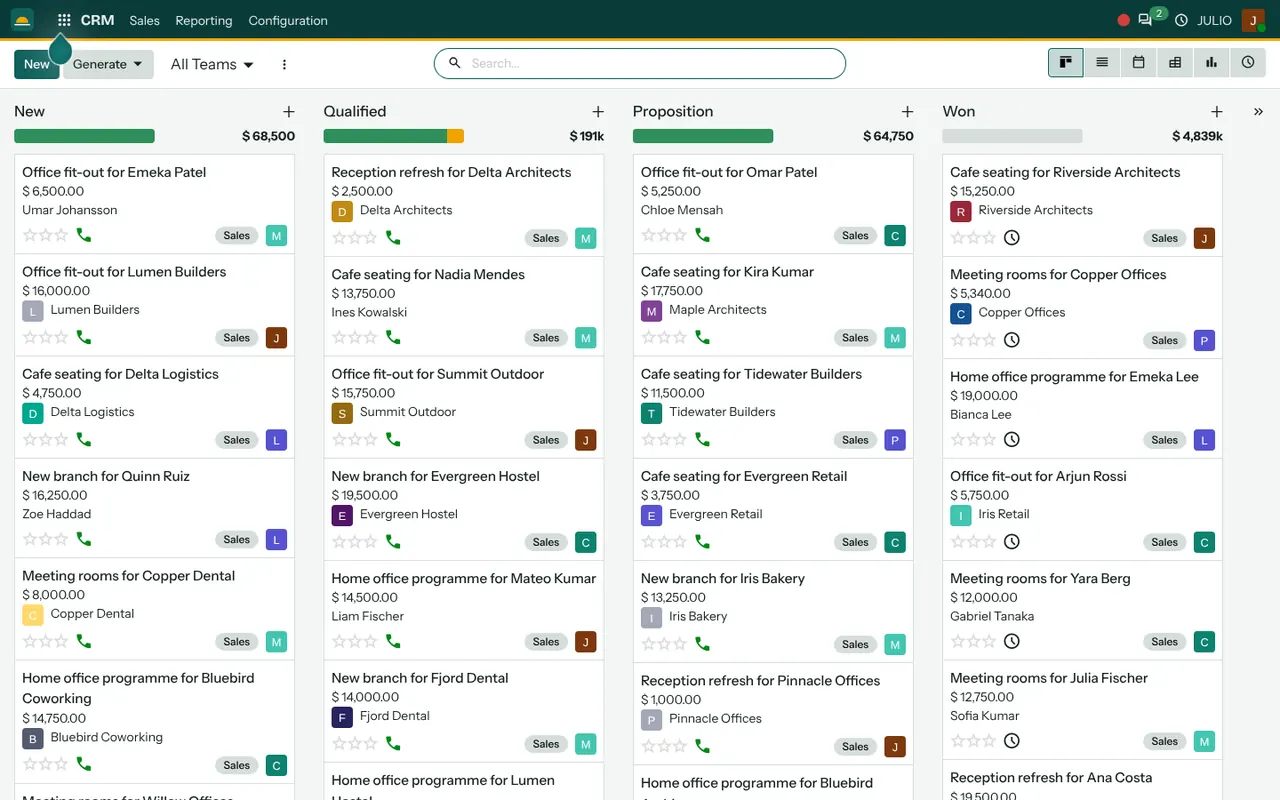
Each column is a stage, and each card is a deal with its customer, expected value and the person responsible. The column header shows the total value of what sits in it, so you see where the money is waiting without opening a report. In the demo screen above, the stages are New, Qualified, Proposition and Won, and the totals sit above each column. You can rename, add or remove stages to match how your own sales process works.
Leads and deals in a list, a calendar or a chart
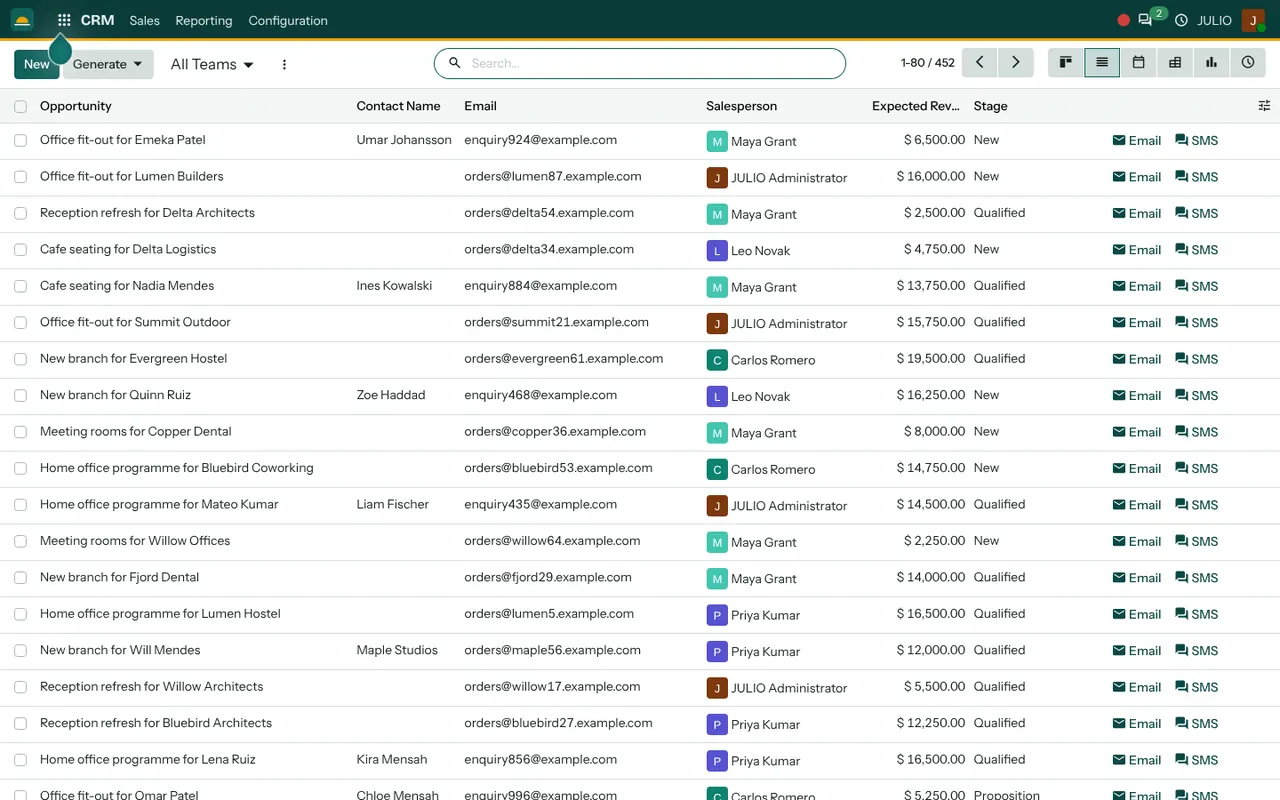
The same records can be shown as a board, a list, a calendar of planned activities or a pivot of totals. A list view suits a salesperson clearing the morning's calls. The calendar suits a manager checking who has visits booked this week.
Activities that do not get forgotten
A call, a visit or a quotation follow-up is logged as an activity with a due date. Overdue activities stand out on the card, so a deal that has gone quiet is visible instead of silently ageing.
From won deal to quotation
When a deal is won, you create the quotation from the deal itself. The customer, the contact and the deal title carry across to the Sales module, where you add products from the shared catalogue. Nothing is typed twice, and the quotation stays linked to the deal it came from.
Analysis of what is working in the pipeline
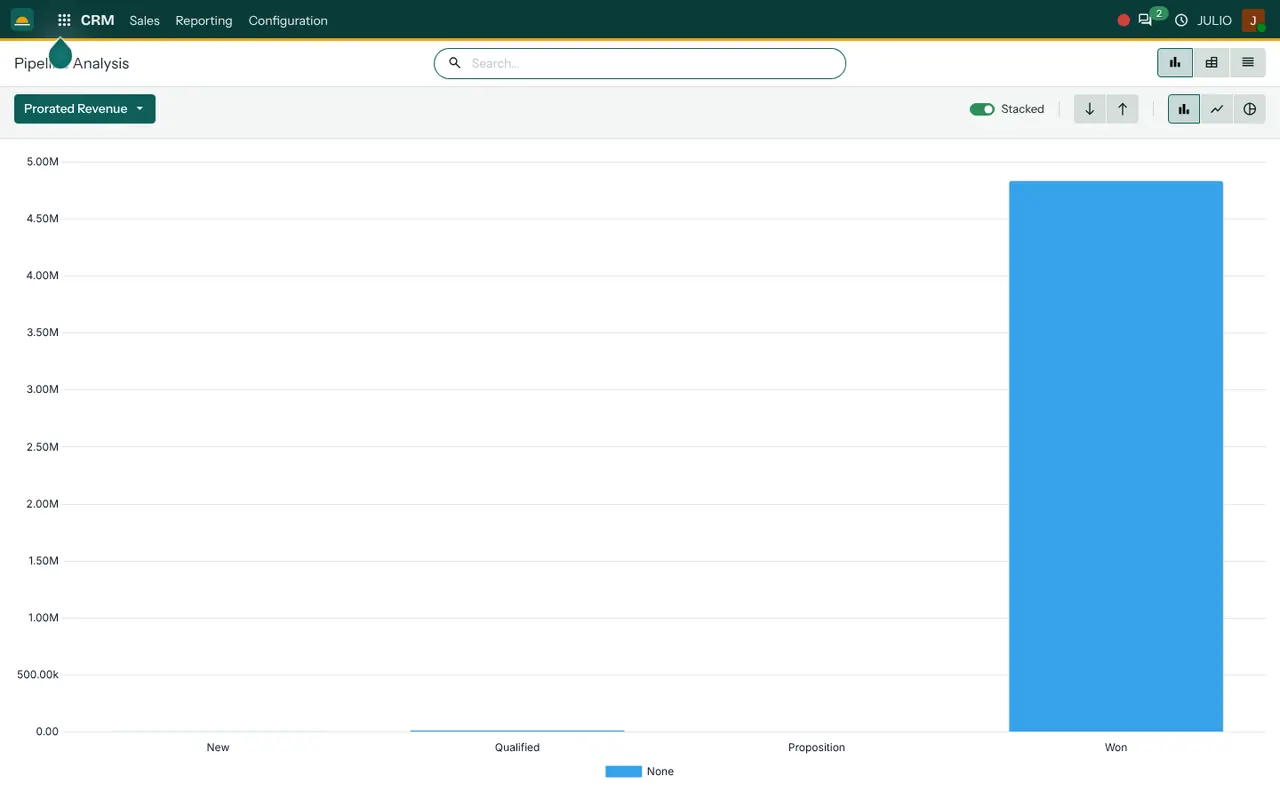
In the CRM module for small business, the analysis view groups deals by stage, salesperson or month, so you can see how many leads become deals and which person closes the most. These figures also feed the sales and overview dashboards.
How the CRM module for small business connects to JULIO
The CRM module for small business is not a separate tool bolted on. It shares one list of customers with Contacts, so a customer you meet in a deal already exists when you invoice them. A won deal flows to Sales, the order flows to Inventory for delivery, and the sale flows to Invoicing for the bill. A Calendar entry for a site visit can be linked to the deal, so the visit appears on the right people's calendars.
A short walk through one deal
With the CRM module for small business, a shop owner who receives an enquiry by phone can follow one clear path. The salesperson creates a card in New, adds the customer and an expected value, and books a call as the next activity. After the call the card moves to Qualified. A site visit is booked on the calendar. A quotation is created from the card and sent. When the customer agrees, the card moves to Won and the quotation becomes an order. Each step is recorded on the card, so anyone who picks up the deal later can read the whole history.
Who starts with a CRM module for small business
These kinds of business commonly begin with the CRM alongside sales and invoicing. Open a page to see the full starting set for that business.
What to decide before switching on the CRM module for small business
A few small decisions make the pipeline useful from the first week.
| Decision | Why it matters |
|---|---|
| Stage names | The board should read like your real sales process |
| Deal owner | Every follow-up needs one responsible person |
| Meaning of won | Totals are only useful if everyone counts a win the same way |
- Your stages. Write down the real steps a deal takes in your business and use those names, not a generic list.
- Who owns a deal. Every card needs one responsible person, so follow-ups have an owner.
- What "won" means. Decide whether won means a verbal yes, a signed quotation or a first payment, and use it consistently.
- Where your leads live today. Phone contacts, spreadsheets and enquiry emails can be loaded in as a first batch of leads.
Common mistakes with a CRM module for small business
Most CRM projects fail for plain reasons, not technical ones. A CRM module for small business is only as good as the habits around it, so watch for four traps.
- Too many stages. A pipeline with ten steps is filled in badly. Five or six honest stages are easier to keep current.
- Leads kept elsewhere. If half the enquiries still live in a phone or a notebook, the board shows only part of the picture.
- No weekly review. A pipeline nobody looks at ages quickly. Fifteen minutes on the board each week keeps it true.
- Treating it as a reporting tool. The CRM module for small business should help the salesperson first. Reports follow from honest daily use.
Conclusion
A CRM module for small business earns its place by removing gaps, not by adding screens. At DigiGrowvity, we set up JULIO ERP for growing businesses, and in our experience the pipeline works best when it starts small: a handful of stages, one owner per deal and a weekly look at the board. From there the CRM, Sales and Invoicing share one set of customers, so a won deal flows through to the bill.
Key Takeaways
- One pipeline board shows every deal, its value and its owner.
- Activities with due dates stop follow-ups from being forgotten.
- A won deal becomes a quotation without retyping the customer or products.
- The CRM shares customers and products with the rest of JULIO.
- It is included in the ₹10,000 JULIO Local plan.