 DigiGrowvity
A wholesaler lives on margin and memory: which dealer was quoted what, which supplier gave the better rate last month, and who still owes for the last two lorry loads. ERP for wholesalers replaces that memory with one shared record. JULIO ERP gives a trading business sales orders, purchasing, stock, invoicing and a pipeline for dealer enquiries, and there is no limit on how many people can use it on your own network.
What ERP for wholesalers needs to do
Trading looks easy until the volume grows. Then these five needs of ERP for wholesalers start to hurt.
| Need | Module that covers it |
|---|---|
| Quote and confirm bulk orders | Sales |
| Buy in volume from suppliers | Purchase |
| Know what is on the shelves | Inventory |
| Bill and collect on credit | Invoicing |
| Follow up new dealer enquiries | CRM |
- Quotes that become orders. A price given on the phone must turn into a confirmed order without being typed twice.
- Buying when it suits you. Bulk purchases happen when rates dip, so you need to know what you already hold.
- Stock that matches the paper. A trader who sells goods already sold loses a customer for good.
- Credit with a memory. Dealers buy on terms, so every invoice needs a due date and an ageing view.
- A list of people who might buy. New dealers write in; without a pipeline they are forgotten by Friday.
The common starting set for ERP for wholesalers
Most ERP for wholesalers starts with the five modules below. That is a common set, and we confirm your own in discovery.
 SalesQuotations, orders and follow-ups
 PurchaseOrders to suppliers, on time
 InventoryStock across every warehouse
 InvoicingInvoices, bills and payments
 CRMTrack leads and close deals
Sales, where the price turns into an order
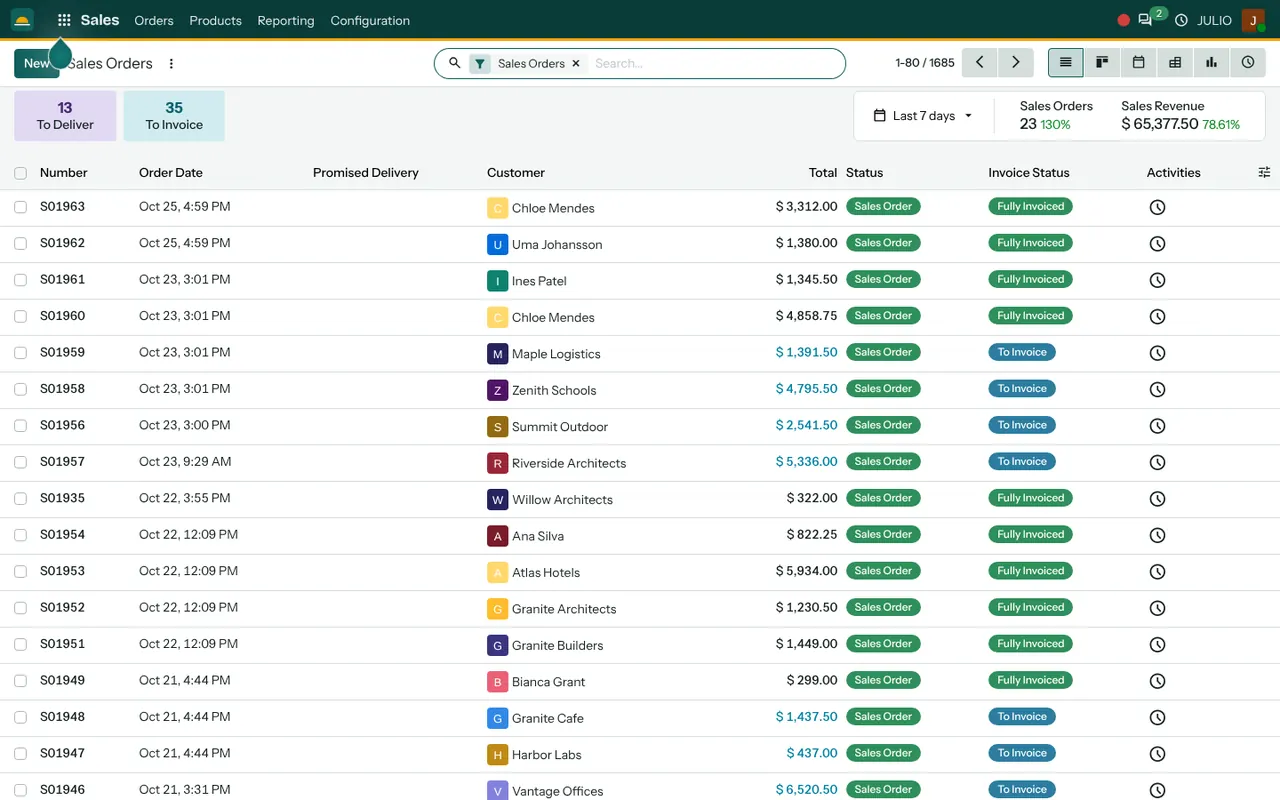
The Sales Orders screen lists each order with its date, customer, total, status and invoice status. Two counters at the top show how many orders are still to deliver and how many are still to invoice, which is a handy morning check. See the Sales module.
Purchase for volume buying
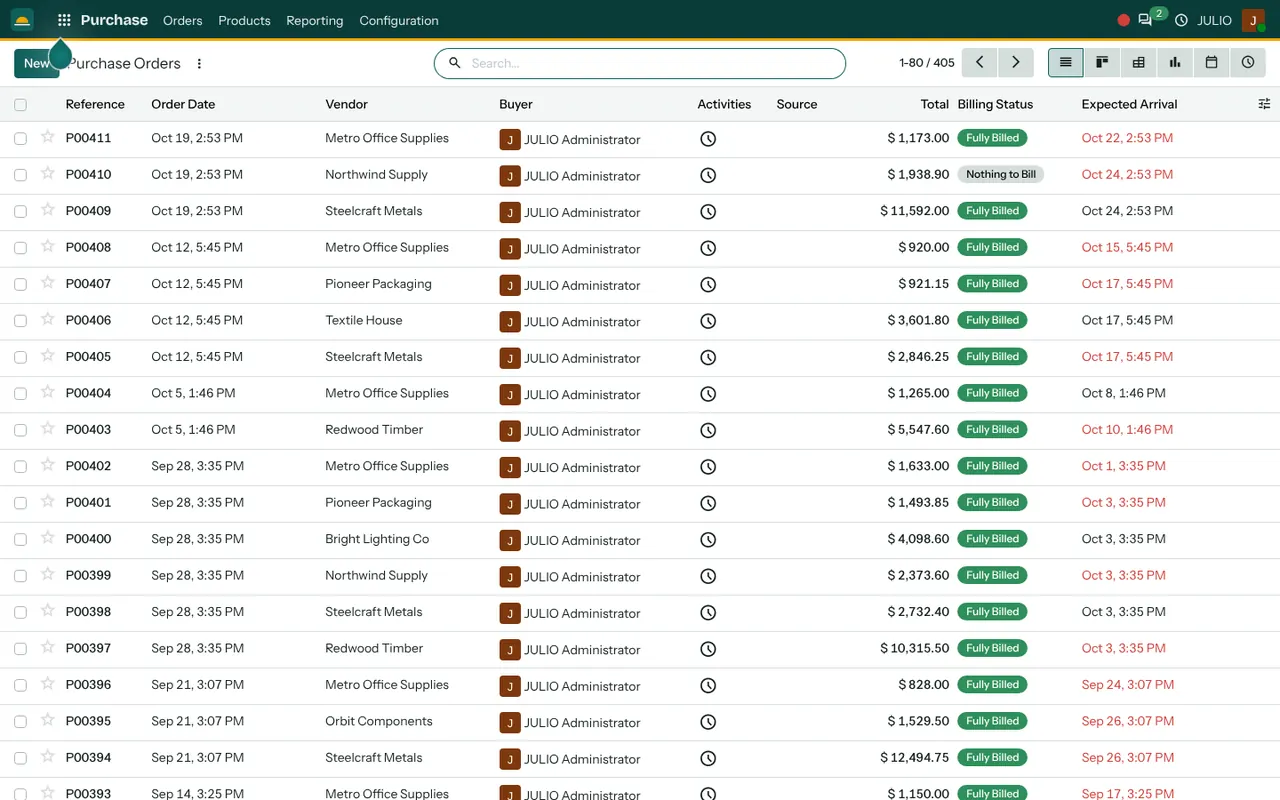
Purchase orders show the vendor, the buyer, the total, a billing status and the expected arrival, so a late supplier is easy to spot. See the Purchase module.
Inventory so you never oversell
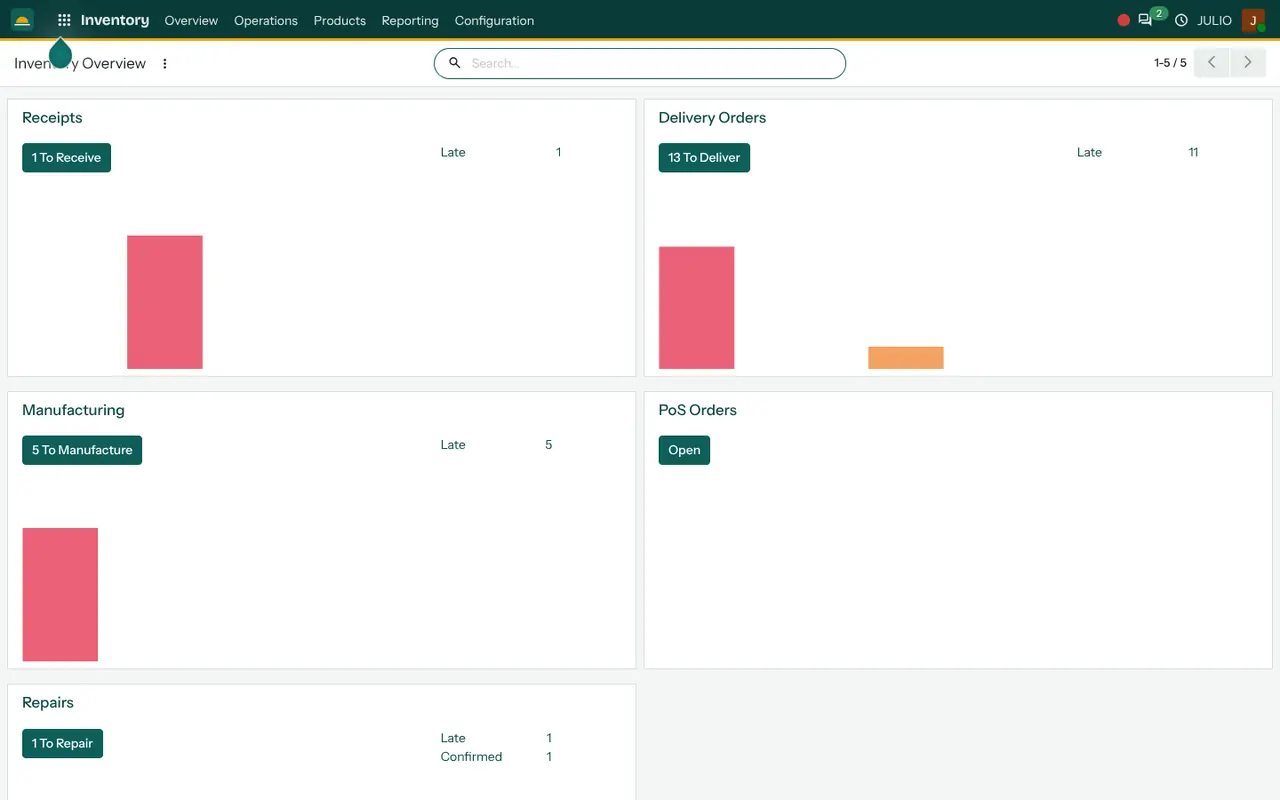
Stock on hand is kept by product and by location. When goods leave on a delivery, the figure drops, and when a supplier delivers, it rises. See the Inventory module.
Invoicing for credit sales
Customer invoices carry a due date and an amount due, and overdue ones turn red in the list. Supplier bills and payments are in the same module. See the Invoicing module.
CRM for dealer enquiries
Each enquiry becomes a card on a pipeline board and moves through stages until it is won or lost. This is how a new dealer enquiry stops depending on one person's phone. See the CRM module.
What ERP for wholesalers looks like in JULIO
The screens below are from the JULIO demo database, which is a furniture business with demo data, not a trader. They show the first screen of each of the first three starting modules: the sales orders list, the purchase orders list and the stock overview. Names, totals and dates are all demo figures.
Where ERP for wholesalers saves the most time
Think of a dealer who rings at eleven and wants three hundred cartons by Thursday. Without a shared record, someone walks to the godown, someone else checks last week's rate and the quote goes out an hour later. With ERP for wholesalers, the salesman opens the product, sees stock on hand, sets the price and confirms the order while the dealer is still on the line. The delivery shows up on the To Deliver counter, and the invoice shows up under To Invoice. The saving is not glamour. It is a dozen small walks that no longer happen.
What JULIO does not do for wholesalers
Be careful with big promises here. JULIO does not include a dealer ordering app or a ready-made link to online marketplaces. Commission calculations for salesmen, rebate schemes tied to yearly volume and automatic credit-limit blocking at the billing counter are not in the standard set either. Filing GST returns is not part of it. Each of these can be quoted as custom work, and we describe what is practical during discovery.
How a first release of ERP for wholesalers could look
For a first release of ERP for wholesalers, begin with the product list and the customer list, because everything else points at them. Put opening stock in, then run sales orders and invoices for one product group while the old books continue. Add purchase orders once the stock matches a physical count, taken on a day when the godown is quiet. Train the billing clerk first and the salesmen second, because the clerk's entries are what everyone else reads. The enquiry pipeline can wait until billing is steady, since it does not depend on the other modules and can be switched on at any time.
Conclusion
ERP for wholesalers is a way of getting your memory out of heads and registers and into one place everybody can read. At DigiGrowvity, we set up JULIO ERP for growing businesses, and in our experience of setting up ERP projects, trading firms get the quickest benefit from clean stock and clean customer records. We have not published a wholesale project, so we offer a common starting set and confirm it with you before anything is promised.
Key Takeaways
- ERP for wholesalers connects quotes, buying, stock, invoices and enquiries.
- The usual starting set is Sales, Purchase, Inventory, Invoicing and CRM.
- Overdue invoices are visible in red in the invoice list.
- Dealer ordering apps, commissions and credit blocking are custom work, quoted separately.
- The plan is ₹10,000 once, with unlimited users and 1 year of free support.