 DigiGrowvity
Service firms sell people's time, and time is the hardest thing to keep track of. A designer logs hours in one sheet, the project manager keeps deadlines in another, and the invoice is written from memory at month end. ERP for agencies ties these together: the lead, the project, the hours, the invoice and the expense claim. JULIO ERP offers each as a module, with no limit on users on your own network.
What ERP for agencies needs to do
An agency, consultancy or studio has no stock to count, so the system has to count something else. ERP for agencies depends on five things.
- A pipeline of prospects. Proposals are sent, forgotten and revived, so every one needs an owner and a next step.
- Projects with tasks and stages. Work moves from New to In Progress to done, and someone must see where it stalls.
- Hours against the right project. If time is not logged, it cannot be billed, and unbilled time is lost margin.
- Invoices that follow the work. A retainer, a fixed fee and an hourly job each bill differently.
- Expenses that are claimed and repaid. Travel, client lunches and software subscriptions should reach the project they belong to.
| Need | Module that covers it |
|---|---|
| Prospects and proposals | CRM |
| Tasks, boards and deadlines | Project |
| Hours by person and project | Timesheets |
| Client invoices and payments | Invoicing |
| Team claims and repayments | Expenses |
The common starting set for ERP for agencies
This is the usual first set for ERP for agencies, and we confirm yours in discovery, since a design studio, a law practice and a software house differ a good deal.
 CRMTrack leads and close deals
 ProjectTasks, boards and deadlines
 TimesheetsHours logged by project
 InvoicingInvoices, bills and payments
 ExpensesClaims and reimbursements
CRM for proposals in flight
The pipeline board shows each prospect as a card in a stage with an amount, and a total above each column. Won deals are separated from the ones still being chased. See the CRM module.
Project for tasks and boards
A project is a card showing its task count, and the task list shows the project, the assignee, the time spent, a progress bar, a priority star and a stage. See the Project module.
Timesheets for hours
Every row is a date, an employee, a project, a task, a description and the time spent. Hours can be tied to a sales order item when the work is billed by the hour. See the Timesheets module.
Invoicing for billing
Invoices show a number, customer, date, due date, total and amount due, and a Paid or Posted status. Overdue invoices are marked in red with how many days ago they fell due. See the Invoicing module.
Expenses for claims
The screen shows amounts to submit, waiting approval and waiting reimbursement, with each claim listed by employee and product. See the Expenses module.
What ERP for agencies looks like on screen
These are real screens from the JULIO ERP demo, whose sample company runs workspace design projects. Names and figures are demo data and the demo is not an agency.
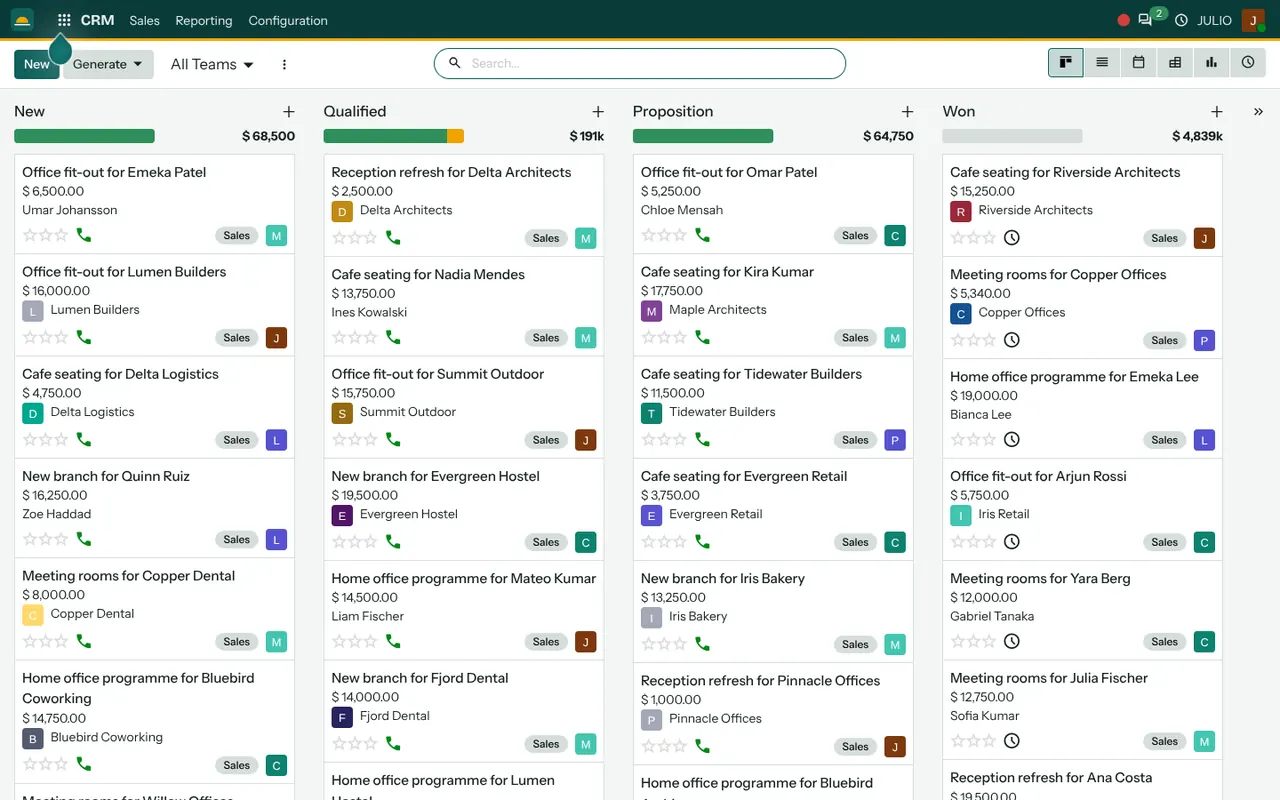
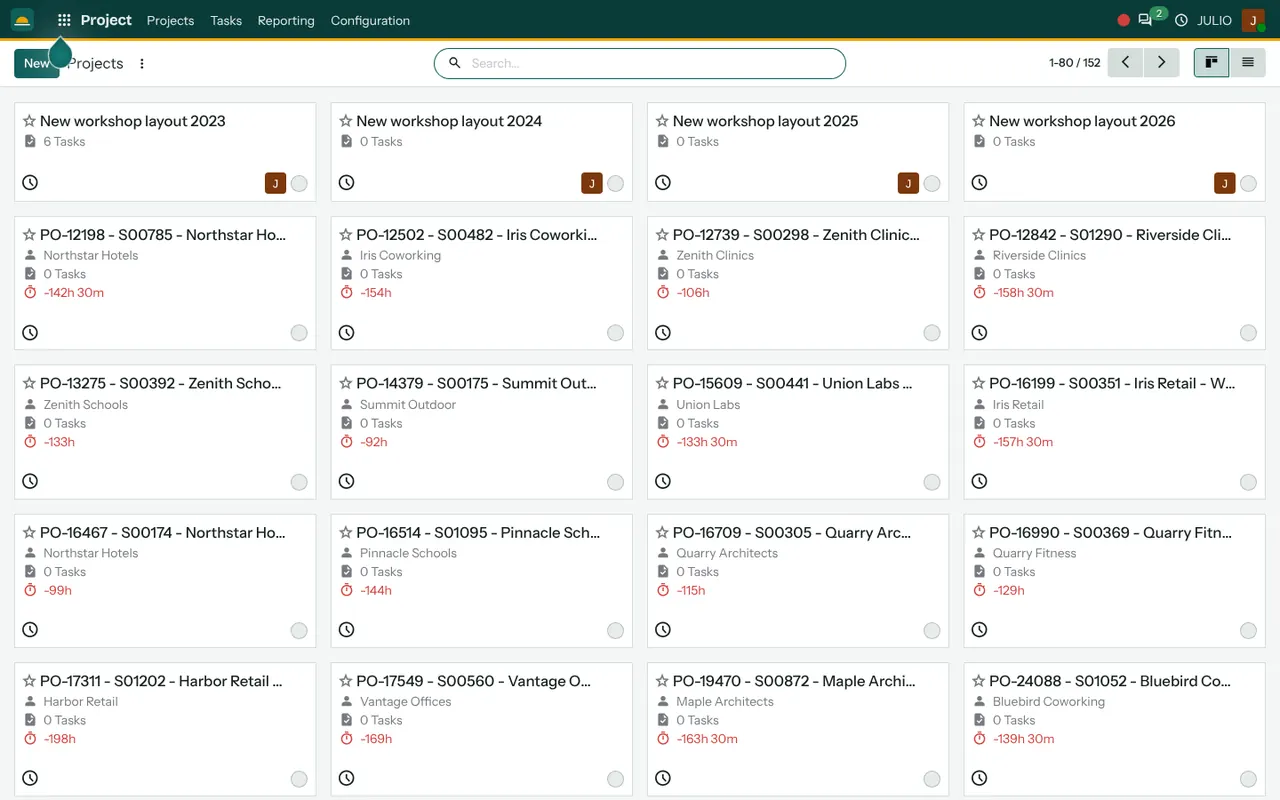
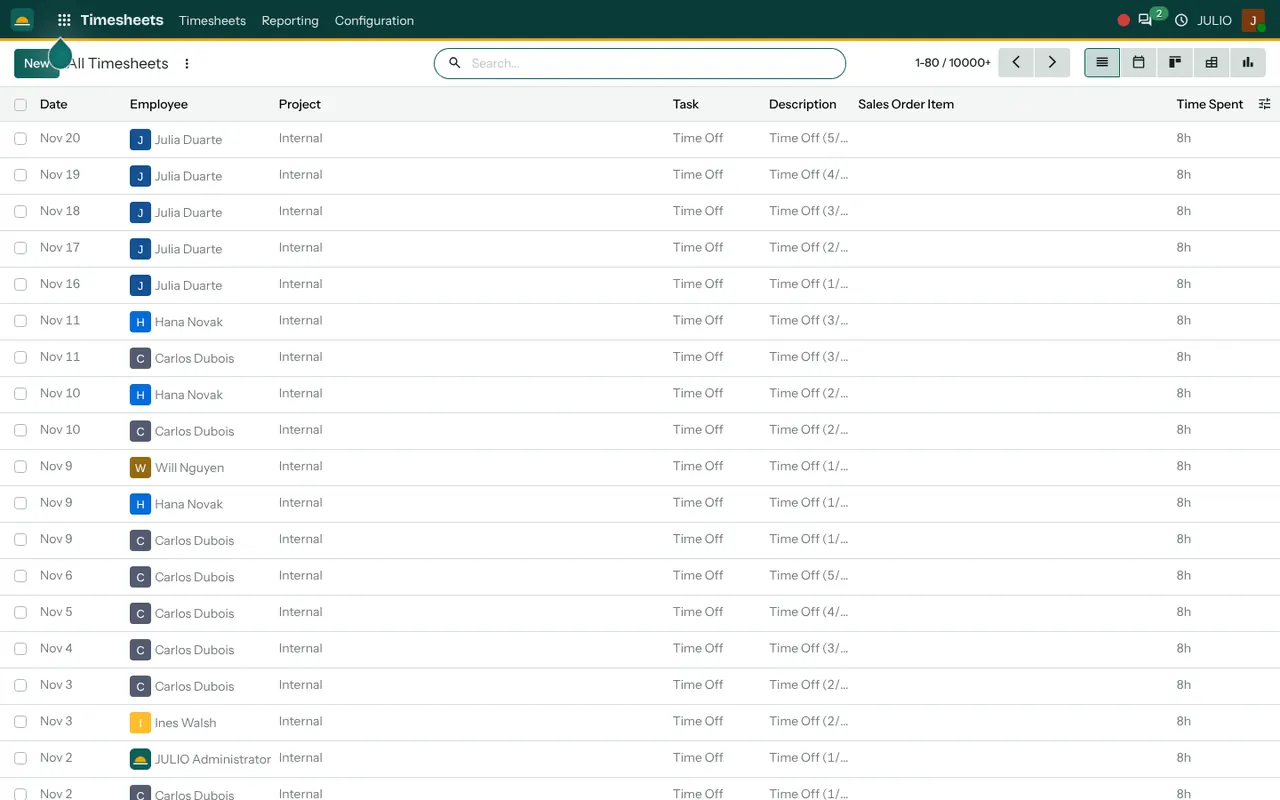
The first screen is the pipeline board with four stage columns. The second is the projects overview, each project shown as a card with its task count. The third is the timesheet list by employee, project and task, with the time spent on each line.
What JULIO does not do for agencies
Know the limits first, so nobody expects what the plan does not include, and see why each one is outside it. ERP for agencies from JULIO covers the project chain, not the whole back office.
- It does not do payroll. Salaries and statutory deductions are handled by your accountant or payroll provider.
- It does not file GST or income tax returns. It prepares invoices; filing is done outside it.
- It does not offer a client portal where clients log in to follow a project. That is custom work, quoted separately.
- It does not run resource planning across weeks as a dedicated screen. Rough workload can be read from tasks and hours, but a planning board is not part of the plan.
How a first release of ERP for agencies could look
Hours and invoices are where agencies lose money, so a first release of ERP for agencies begins there. Set up your clients, create one project per live engagement, and ask the team to log hours for two weeks. Then raise the first invoice from those hours and compare it with what you would have written from memory.
In the second stage of ERP for agencies, move the pipeline onto the board, so proposals get an owner and a next step. Expense claims come last, since they involve the fewest people and the lowest urgency.
Conclusion
ERP for agencies is about making the invisible visible: the hours spent, the projects stuck and the invoices unbilled. At DigiGrowvity, in our experience setting up ERP projects, the teams that get value fastest are the ones that agree to log time honestly for a couple of weeks. The software only works as well as the habit behind it, and that habit is cheap to build when the team is small. Start with the timesheet, then let the rest of the chain build on that.
Key Takeaways
- ERP for agencies should connect leads, projects, hours, invoices and expense claims.
- The common starting set is CRM, Project, Timesheets, Invoicing and Expenses.
- Payroll, tax filing and client portals are not included, and portals are custom work.
- JULIO runs on your own network, with no limit on users.
- The plan is ₹10,000 once, with 1 year of free technical support.