 DigiGrowvity
A retail shop closes at nine, and then the real work begins: counting cash, matching it to the bills, guessing what to reorder and wondering why the shelf shows twelve shirts when the book says eight. ERP for retail stores replaces that evening of guesswork with one system, where the sale at the counter reduces the stock, the stock drives the reorder, and the bill feeds the accounts. JULIO ERP offers this for a single shop or several.
What ERP for retail stores needs to do
ERP for retail stores starts from the fact that a shop is a place of many small, fast sales, and its problems are mostly about not losing track.
| Need | Module that covers it |
|---|---|
| Quick billing at the counter | Point of Sale |
| Stock by shelf, shop and backroom | Inventory |
| Bulk and credit orders | Sales |
| Proper invoices and payments | Invoicing |
| Known customers | Contacts |
- A fast till. Scanning or tapping an item must beat writing it, even on a busy Saturday.
- Stock that follows the sale. When a shirt is sold at the counter, the shop's count should drop at once, not at month end.
- Several places to hold stock. Goods sit on the floor, in the backroom and sometimes in a second shop, each with its own count.
- Two kinds of buyer. The walk-in pays at the counter, while a local business wants a quotation, credit and a GST invoice.
- A reliable end of day. The cash in the drawer, the card slips and the bills must reconcile without a late night.
The common starting set for ERP for retail stores
Most shops that adopt ERP for retail stores begin with these five modules, and we confirm yours in discovery. Each links to its own page.
 Point of SaleFast checkout for shops and counters
 InventoryStock across every warehouse
 SalesQuotations, orders and follow-ups
 InvoicingInvoices, bills and payments
 ContactsCustomers and suppliers
Point of Sale, because the counter is the business
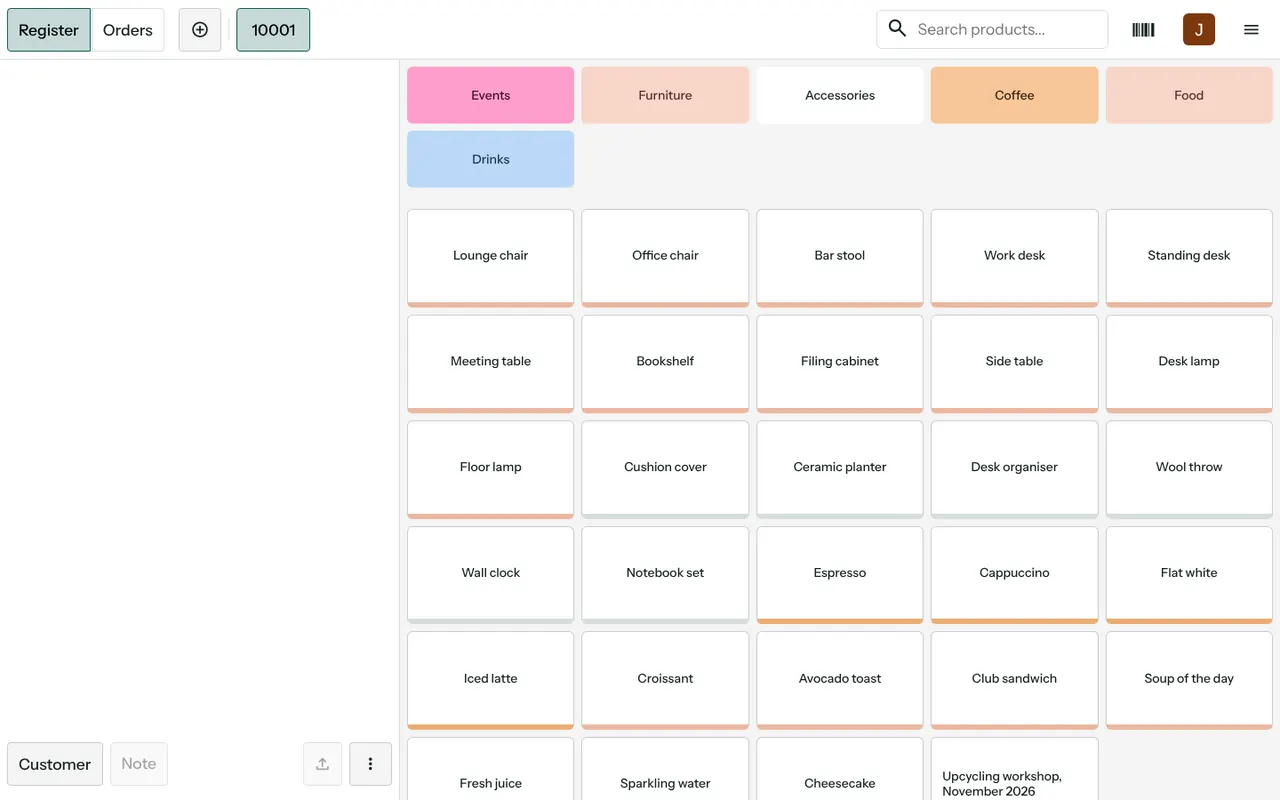
In ERP for retail stores, the demo till shows product tiles under coloured categories, a search box, a barcode button and Register and Orders tabs, with a Customer button for the bill. Each shift is a session, and every sale is a numbered order with a receipt. See the Point of Sale module.
Inventory, so the shelf and the book agree
In ERP for retail stores, stock is listed by location and product, with on-hand and reserved quantities and a replenishment shortcut beside each line. That is what lets a shop owner see the backroom and the floor separately. See the Inventory module.
Sales, for the buyer who is not at the counter
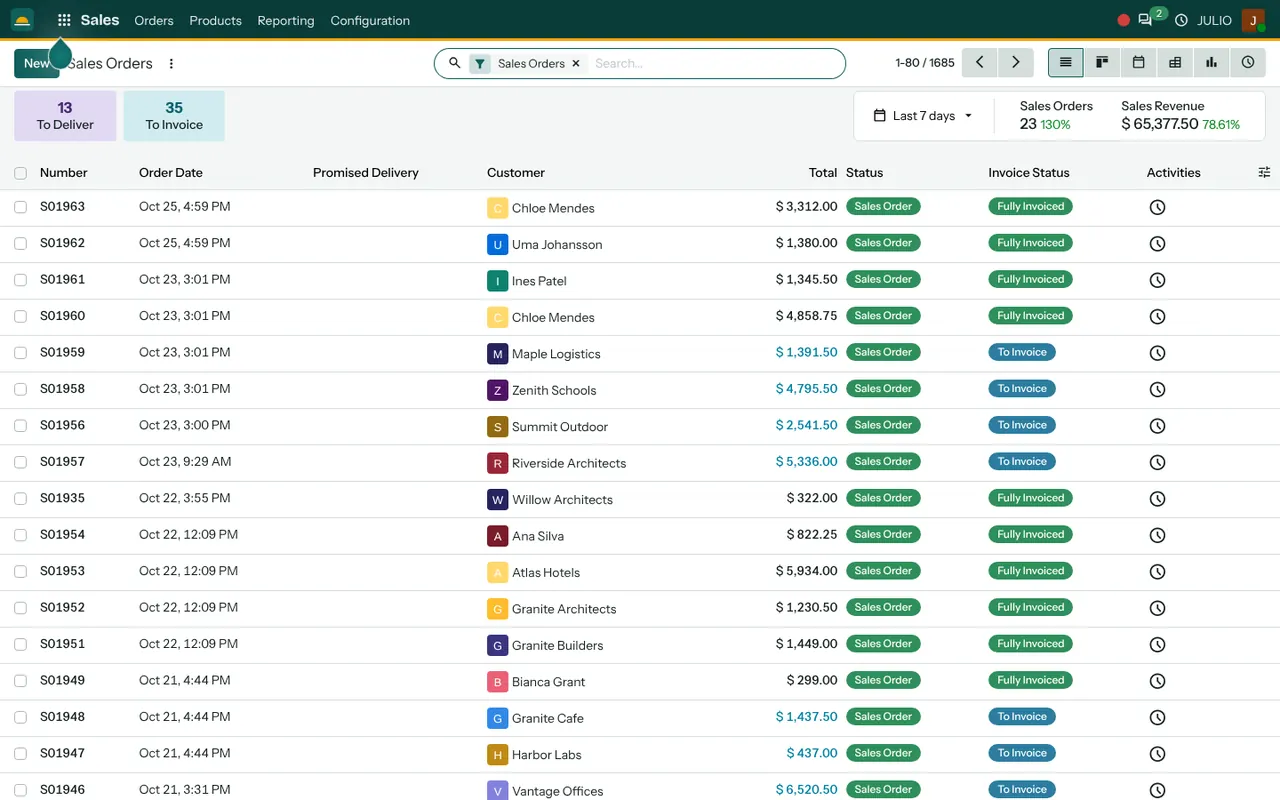
A caterer ordering uniforms for a team, or an office ordering gifts, needs a quotation first. The Sales module handles that, and the order uses the same stock as the till.
Invoicing, for credit customers and the accountant
Counter sales are paid on the spot, but credit customers get an invoice and pay later. The Invoicing module tracks who owes what and for how long, and keeps vendor bills beside it.
Contacts, one list for every buyer
Regulars, credit customers and suppliers all live in the Contacts module, so a repeat buyer is recognised and a supplier is never typed twice.
What ERP for retail stores looks like in JULIO
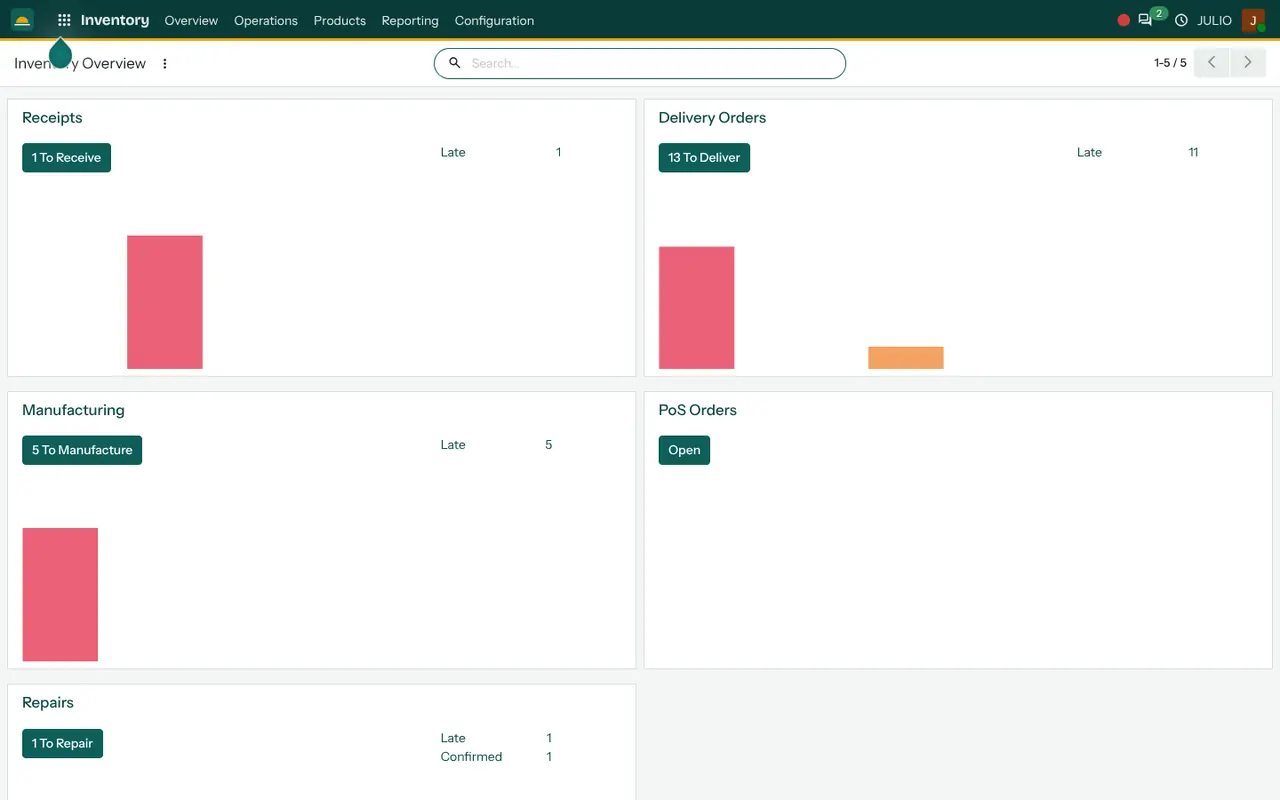
For a shop owner, these are real screens from the JULIO ERP demo, which uses demo data and is a furniture and cafe business, not a shop.
What JULIO does not do for retail stores
It is better to know the limits of ERP for retail stores before you start.
- Hardware choices. The till runs in a browser, but which receipt printer, scanner or cash drawer works with it is confirmed in discovery. Hardware is bought separately.
- Card and UPI machines. Linking a specific payment terminal to the till is custom work, quoted separately.
- Tax filing. GST taxes can be configured on invoices, but returns are filed on the government portal with your accountant.
- Online store links. A web shop and marketplace feeds are a separate scope. See ERP for ecommerce businesses if you sell online too.
- Franchise royalties. Complex franchise accounting is custom work.
How a first release of ERP for retail stores could look
For one shop, a sensible first release of ERP for retail stores is stock and the till. The product list is cleaned and given barcodes where it has none, and an opening count is taken on a quiet evening. The till is then run alongside the old method for a short parallel period, so a difference between the two shows up while the old method is still a safety net. Credit customers and invoicing follow, then quotations for bulk buyers.
A shop with two branches would add the second location after the first has run smoothly for a while. Taking the changes in small steps means the staff learn one thing at a time, and the owner always knows which change caused which difference.
Conclusion
ERP for retail stores pays for itself in quieter evenings, not in clever features. At DigiGrowvity, we set up JULIO ERP for growing businesses, and in our experience a shop does best when the first release is limited to the till and an honest stock count. Add Sales for bulk buyers and Invoicing for credit customers when the counter has settled.
Key Takeaways
- ERP for retail stores gives a shop a fast till, stock by location, bulk quotations, invoices and one customer list.
- The usual starting set is Point of Sale, Inventory, Sales, Invoicing and Contacts.
- Each shift is a session, and each sale is a numbered order with a receipt.
- Hardware and payment terminal links are confirmed in discovery, and custom ones are quoted separately.
- The plan is ₹10,000 once, with unlimited users and 1 year of free support.