 DigiGrowvity
A factory is a chain of small promises: this much material in, this many pieces out, by this date. ERP for manufacturers is the system that keeps those promises honest, because what you plan to make, what you actually have and what you have bought all come from the same records. This is the one industry where we can speak from our own work, since we built the JULIO ERP around the needs of LAMBLILY, a garment manufacturer. This page explains the starting set and where its limits are.
What ERP for manufacturers needs to do
Manufacturing is different from trading because something changes shape in the middle, and ERP for manufacturers has to follow that change. Five needs follow from that.
| Need | Module that covers it |
|---|---|
| Recipe of what goes into a product | Manufacturing |
| Raw material and finished stock | Inventory |
| Buying inputs from suppliers | Purchase |
| Keeping machines running | Maintenance |
| Billing what ships | Invoicing |
- A recipe for every product. The parts that go into one unit must live in the system, or nobody knows what a batch will consume.
- Work you can see and date. A production order carries a start date, a quantity and a state that office and floor both read.
- Materials that arrive in time. One short component stops a line quietly, so shortages must show early.
- Machines that are looked after. A press or needle that breaks mid-order costs more than the service that prevents it.
- Finished goods that become invoices. Output turns into stock, and stock into a bill, without retyping.
The common starting set for ERP for manufacturers
The usual first set of ERP for manufacturers is below. It is a common set, informed by our own manufacturing work, and we still confirm yours in discovery.
 ManufacturingBills of materials and work orders
 InventoryStock across every warehouse
 PurchaseOrders to suppliers, on time
 MaintenanceEquipment upkeep schedules
 InvoicingInvoices, bills and payments
Manufacturing, where the recipe lives
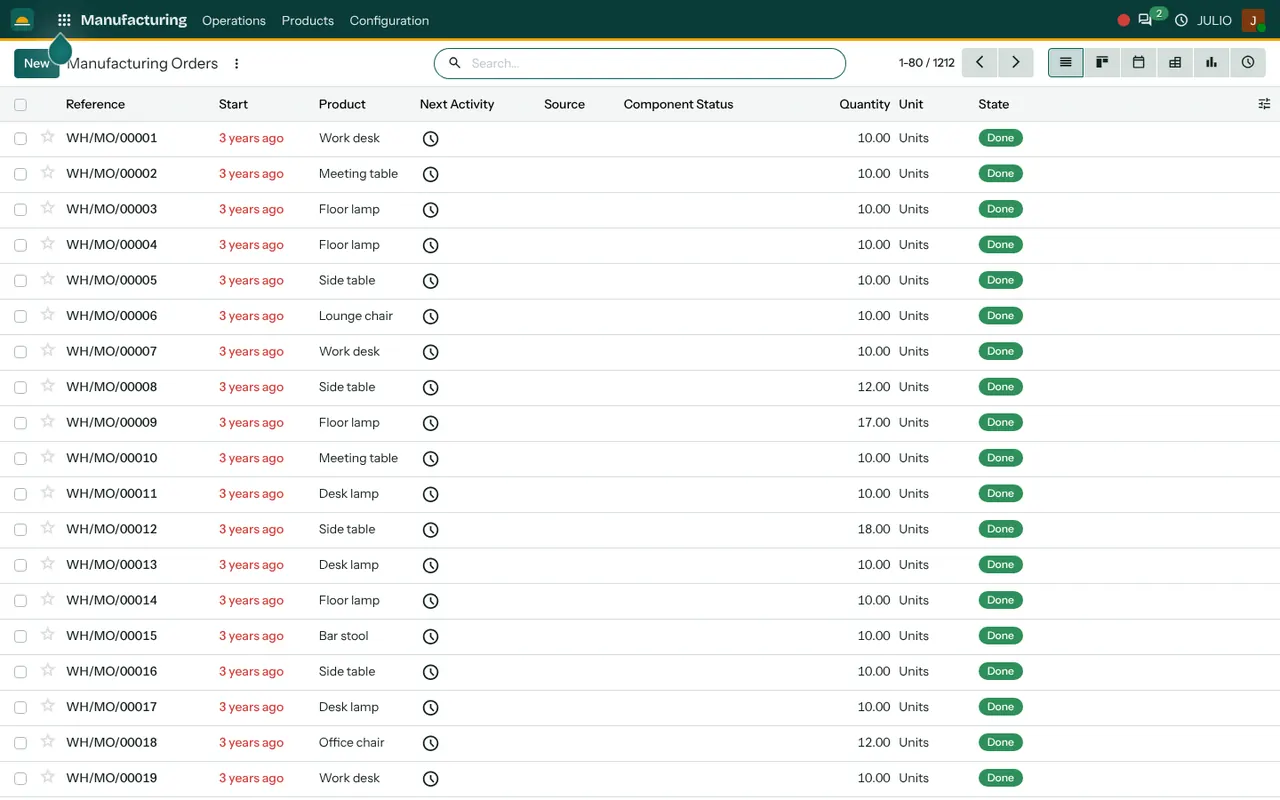
Each product has a bill of materials marked as something you manufacture. A manufacturing order then says how many to make, when it starts and which state it is in, from draft through to done. The list also shows the status of components, so a short part is visible before the order begins. See the Manufacturing module.
Inventory for materials and finished goods
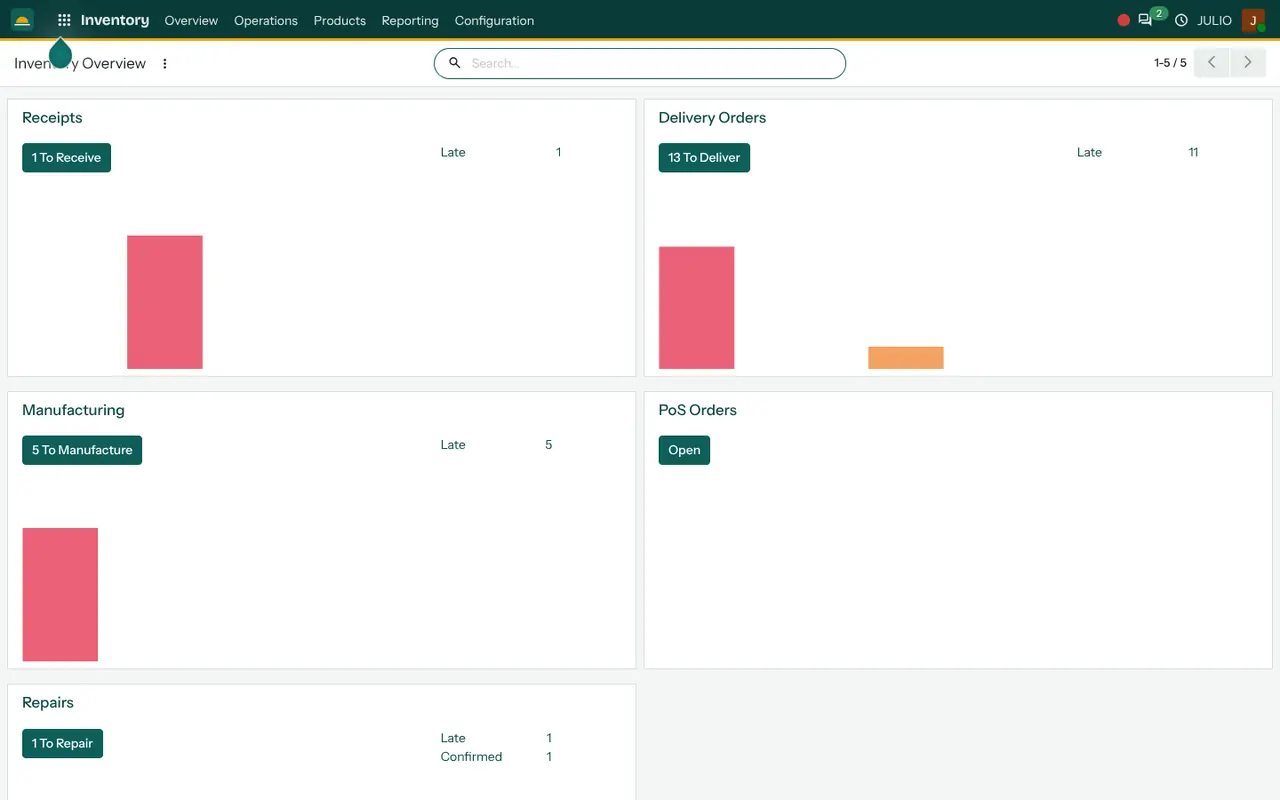
Raw material and finished stock sit in the same system, so finishing an order adds to stock and consuming materials takes it down. The overview shows a card for manufacturing with a count of orders still to make and a count that are late. See the Inventory module.
Purchase for inputs
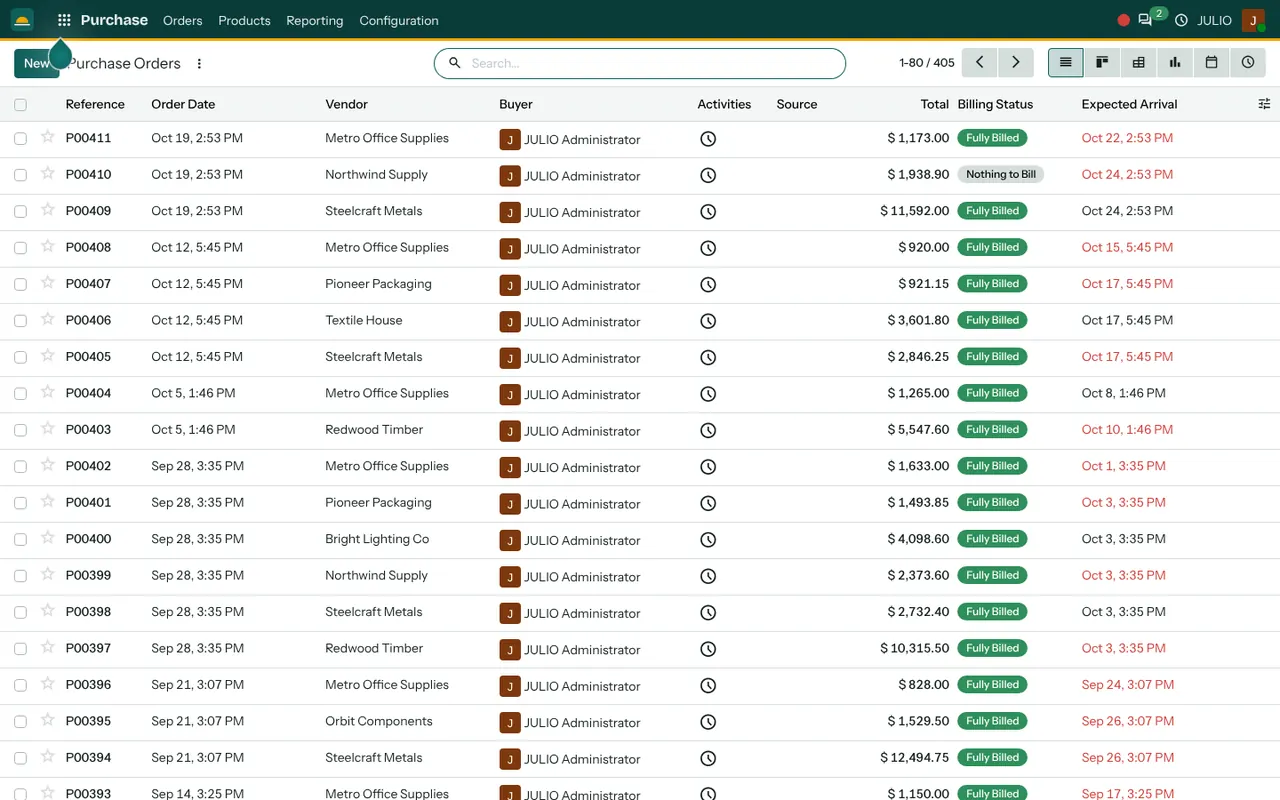
When an order needs more than you hold, the shortfall becomes a supplier order. Receiving it against the delivery brings the materials into stock. See the Purchase module.
Maintenance for the equipment
Each machine is listed with its upkeep requests, and the maintenance team card counts what is scheduled and still to do. Planned servicing replaces emergency repairs. See the Maintenance module.
Invoicing for what you ship
Customer invoices, supplier bills and payments sit together, so a delivered order does not wait for someone to remember to bill it. See the Invoicing module.
What ERP for manufacturers looks like in JULIO
These screens come from the JULIO demo database. It is demo data for a furniture and fit-out business, with a manufacturing history that makes it a fair illustration of what ERP for manufacturers puts on a production list.
What we have run ourselves in ERP for manufacturers
We built this ERP around LAMBLILY, a garment manufacturer, so bills of materials, fabric and trim stock and supplier buying are records we know well. You can read the write-up in our LAMBLILY ERP work, and the page on ERP for garment manufacturers goes deeper on fabric lots and sampling. We do not claim the same history for other factory types, such as steel, plastics or food, which we treat as a common starting set.
What JULIO does not do for manufacturers
JULIO plans and records production. It is not a machine-connected shop-floor system. Live readings from machines and sensors, automatic scheduling that optimises machine loading, and inspection checklists with test measurements are not in the standard set. Statutory filings for factory licences are also outside it. These can be built as custom work, quoted separately, and we say plainly in discovery what is worth building.
How a first release of ERP for manufacturers could look
A first release of ERP for manufacturers starts with data, not screens. Product names, bills of materials and opening stock are cleaned first, because a recipe with a wrong quantity produces a wrong order every time. Then production orders and inventory go live together on one product line, so the team learns on something small. Purchase follows, then Maintenance and Invoicing. The next line is added only when the first one reconciles with what the floor actually made, and the shop floor supervisor should be in the room when that comparison is done.
Conclusion
ERP for manufacturers earns its place when the plan on paper and the count on the floor finally match. At DigiGrowvity, we set up JULIO ERP for growing businesses, and in our experience of setting up ERP projects, the factories that finish are the ones that start with one product line and clean recipes. We have run this ourselves for a garment manufacturer, and we scope any other kind of factory with you before promising a thing.
Key Takeaways
- ERP for manufacturers links the recipe, the materials, the order, the machine and the bill.
- The usual starting set is Manufacturing, Inventory, Purchase, Maintenance and Invoicing.
- We have run this for a garment manufacturer, LAMBLILY, and treat other factories as a common starting set.
- Machine connections, schedule optimisation and inspection checklists are custom work, quoted separately.
- The plan is ₹10,000 once, with unlimited users and 1 year of free support.