 DigiGrowvity
A neighbourhood supermarket stocks thousands of items, and most of them sell for a few rupees of margin each. That is why small errors hurt: a wrong purchase rate, an empty shelf or a missed reorder quietly eats the profit. ERP for supermarkets joins the billing counter, the stock room and the supplier's invoice into one set of figures. JULIO ERP does this with a till, inventory, purchase, invoicing and dashboards, and there is no limit on how many staff use it on your own network.
What ERP for supermarkets needs to do
A grocery store is a volume business. The system has to cope with a long item list and a short queue.
| Need | Module that covers it |
|---|---|
| Billing at several counters | Point of Sale |
| Shelf and back-store quantities | Inventory |
| Orders to many suppliers | Purchase |
| Supplier bills and daily takings | Invoicing |
| A morning read of yesterday | Dashboards |
- A tidy long catalogue. Rice in three pack sizes and five brands of tea need clear names and codes, or the till becomes a search puzzle.
- Fast-moving stock. Milk, bread, oil and staples go out all day, so shelf quantity matters every hour.
- Many suppliers. One for dairy, another for staples, another for cleaning goods, each on a different rhythm.
- Matching arrival to bill. The challan, the order and the supplier bill should line up before you pay.
- A view of the day. Takings, what is running out and what is owed, without opening three registers.
The common starting set for ERP for supermarkets
Supermarkets usually start ERP for supermarkets with the five modules below. We confirm your own set in discovery, since a single store and a small chain do not need the same first release.
 Point of SaleFast checkout for shops and counters
 InventoryStock across every warehouse
 PurchaseOrders to suppliers, on time
 InvoicingInvoices, bills and payments
 DashboardsLive numbers for the whole business
Point of Sale at the billing counters
Billing is the busiest part of the day. The till shows product tiles under category buttons, lets the cashier search or scan, and attaches a customer when the shopper asks for a named bill. Each counter works in its own session, so shifts can be reconciled separately. See the Point of Sale module.
Inventory for shelves and the back store
The same item can sit on the shop floor and in the back store. In ERP for supermarkets, Inventory tracks quantity by location, shows what is reserved, and offers a replenishment shortcut next to each line. See the Inventory module.
Purchase for supplier orders
A purchase order goes to the supplier, shows an expected arrival date, and carries a billing status such as Fully Billed or Nothing to Bill. That status is the quickest way to see which deliveries have an invoice waiting. See the Purchase module.
Invoicing for supplier bills and takings
Supplier bills are recorded against the order they came from, and counter sales reach the accounts as paid entries. For a grocery store using ERP for supermarkets, this keeps payables and daily takings in one ledger. See the Invoicing module.
Dashboards for the owner
The operations dashboard shows receipts expected, late transfers and stock value, and the finance dashboard shows what you owe and what is overdue. Owners of ERP for supermarkets tend to open these first each morning. See the Dashboards module.
What ERP for supermarkets looks like
These are real screens of ERP for supermarkets from the JULIO demo database. The demo business is a fit-out and furniture company that also runs a shop and a café counter, so the names and figures are not groceries.
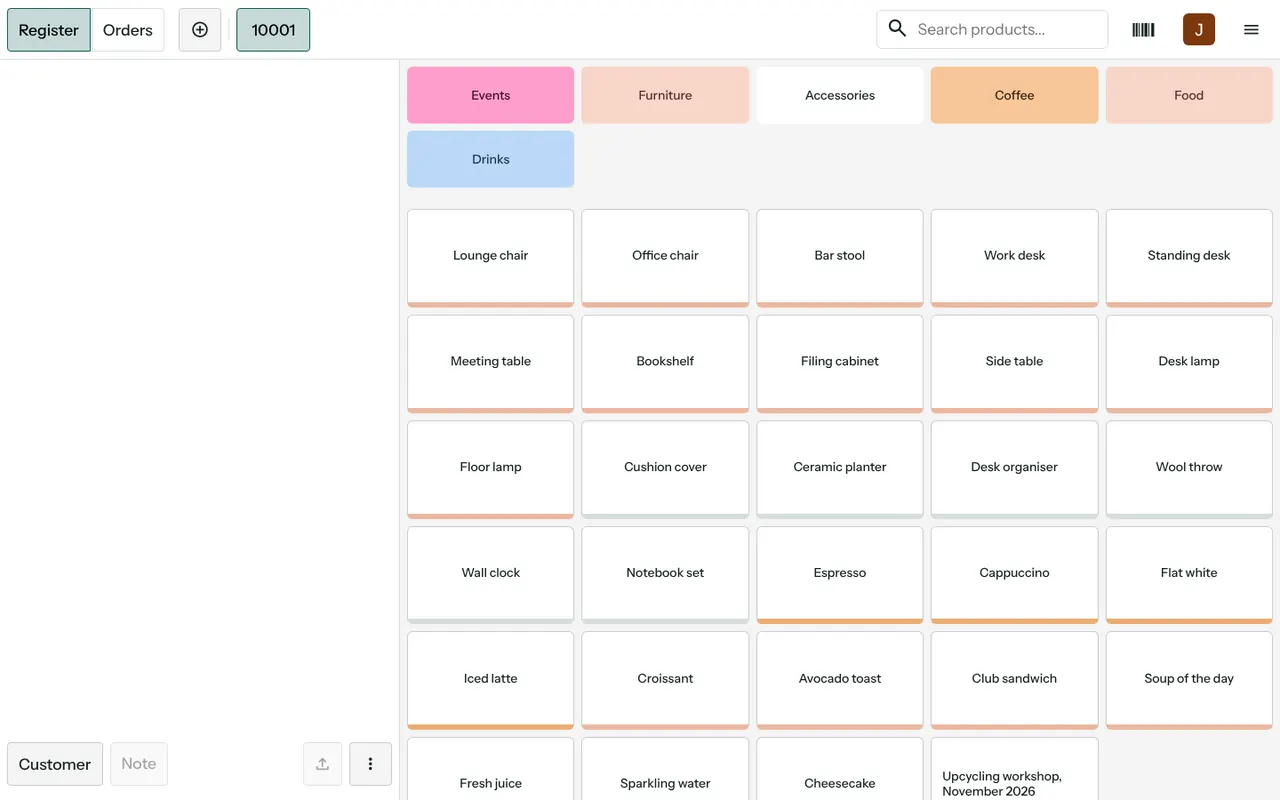
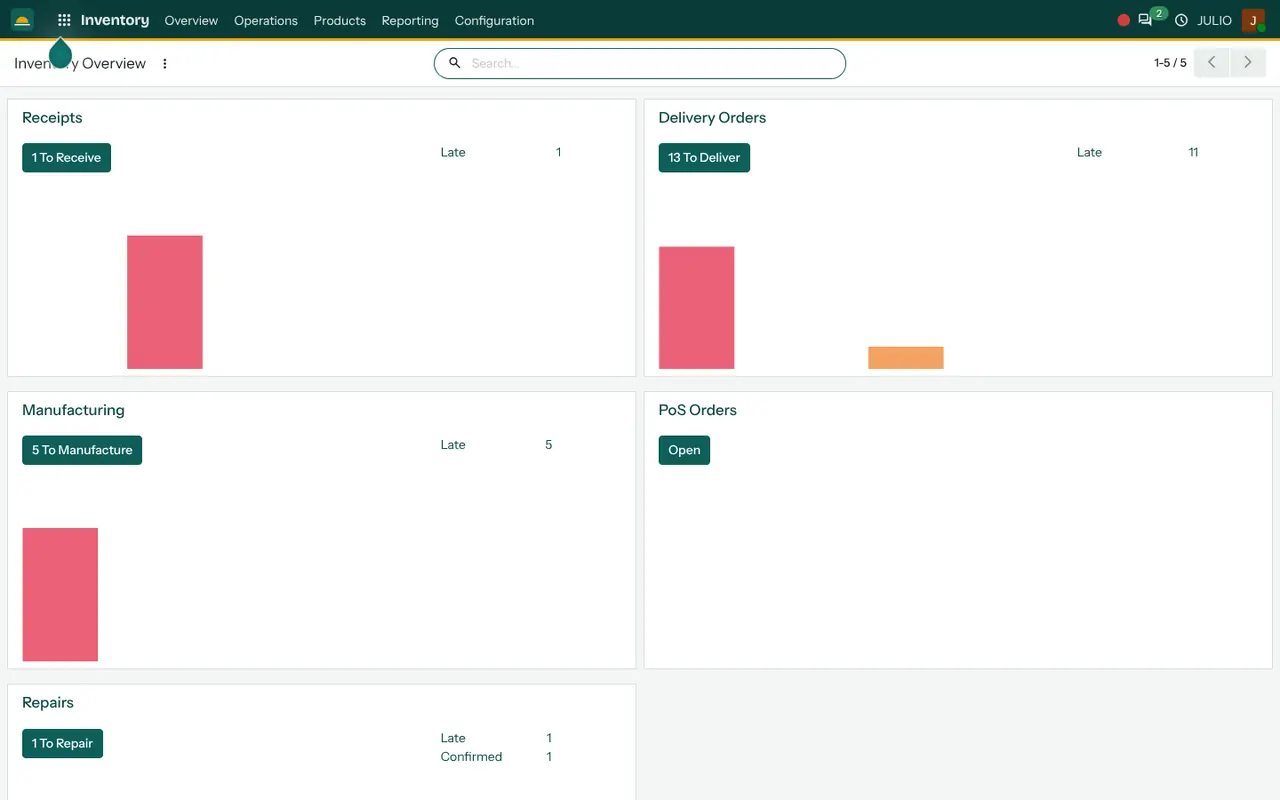
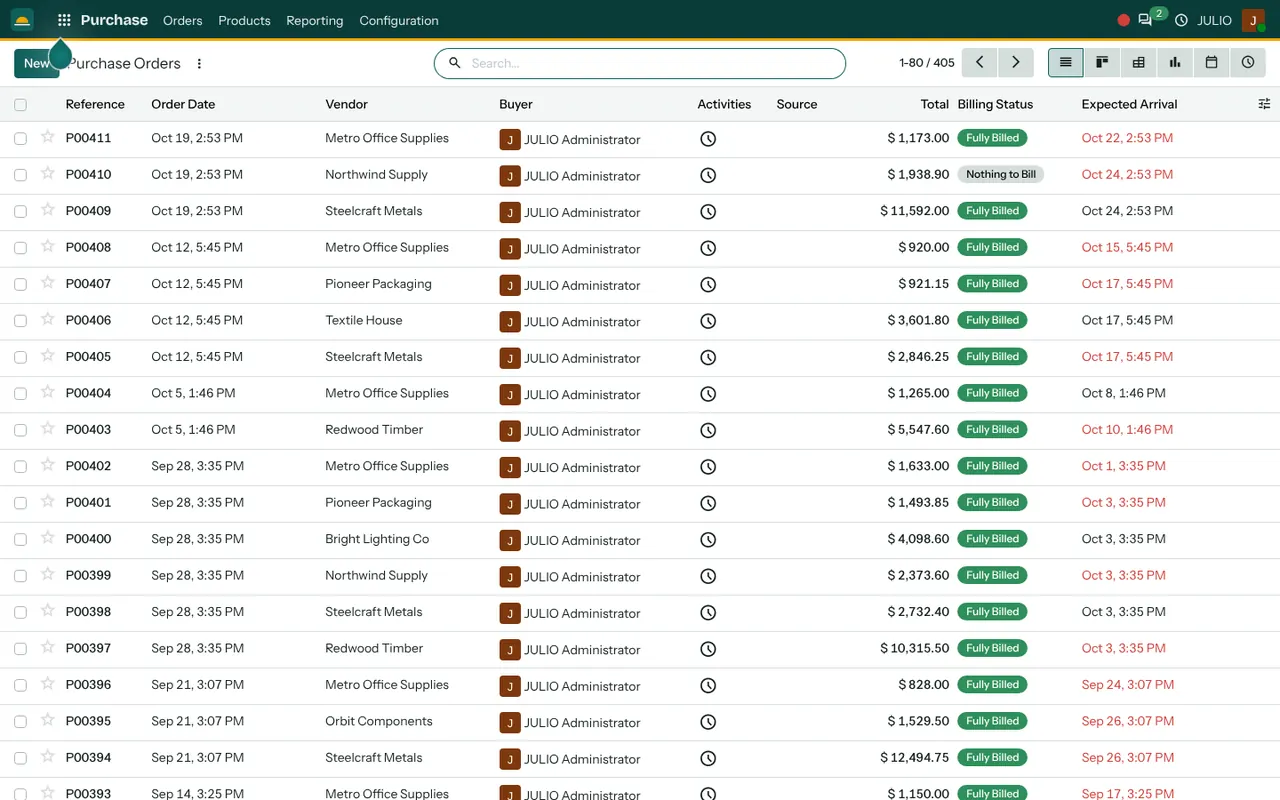
The till screen has category buttons across the top and product tiles beneath, with a search box and a barcode icon. The inventory overview shows tiles for receipts to receive, deliveries to deliver and late items, which a grocery store would read as inbound deliveries and pending orders. The purchase list shows reference, order date, vendor, buyer, total, billing status and expected arrival, with late dates in red.
What JULIO does not do for supermarkets
It is better to say plainly where the edges of ERP for supermarkets sit in JULIO.
- Weighing scales and shelf labels. Loose goods sold by weight, price-tag printing and scale links are custom work, quoted separately.
- Batch and expiry control. Dairy, bread and packaged food make expiry dates matter. Whether to track them, and how finely, is decided with you in discovery before we promise anything.
- Loyalty and offers engines. Points schemes and buy-one-get-one rules are scoped separately.
- Food licence records. FSSAI paperwork is yours to keep. The system holds supplier and item data but is not a compliance register.
- Tax filing. GST taxes and HSN codes are configured, and returns are filed by you or your accountant.
How a first release of ERP for supermarkets could look
A first release of ERP for supermarkets begins with the item list, because everything else depends on it. Codes, names, units and selling prices are cleaned from your current sheet or billing export, and opening stock is counted aisle by aisle. One counter then goes live with the till while the old billing carries on in parallel. After that come supplier orders and bills, then the dashboards. A second counter, or a second store, is added only when the first one reconciles.
Conclusion
ERP for supermarkets is mostly about discipline on small numbers. At DigiGrowvity we set up JULIO ERP for growing businesses, and in our experience of setting up ERP projects, the stores that go smoothly are the ones that clean the item list first and add counters later. Start with one till, a counted stock and your main suppliers, then grow from a base you trust.
Key Takeaways
- ERP for supermarkets joins billing, shelf stock and supplier purchasing into one set of figures.
- The common starting set is Point of Sale, Inventory, Purchase, Invoicing and Dashboards.
- With ERP for supermarkets, clean item codes and counted opening stock matter more than any setting.
- Scales, expiry tracking depth and loyalty schemes are confirmed in discovery, and custom work is quoted separately.
- The plan is ₹10,000 once, with unlimited users and 1 year of free support.