 DigiGrowvity
Anyone who has watched a salon at six on a Saturday evening knows the problem. Three stylists, two walk-ins, a bridal trial overrunning and a client asking whether her colour is ready. ERP for salons gives that room a single calendar, a quick billing till and a count of what is left on the shelf. JULIO ERP puts these in one system you run on your own network, with no limit on how many staff can sign in.
What ERP for salons needs to do
A salon sells time, skill and a few products, and each of those needs its own kind of record. ERP for salons has to deal with five needs.
- An appointment book that nobody overwrites. Two people at the desk should never promise the same chair at the same hour.
- Billing that is quick and itemised. A haircut, a head massage and a bottle of serum belong on one bill.
- Consumables that run out quietly. Colour tubes, wax, towels and cotton rarely get counted until the last one is gone.
- A record of who works where. Stylists, therapists and front-desk staff move between shifts and branches.
- Gentle reminders. Clients return when someone nudges them, and a text is the least intrusive way to do it.
| Need | Module that covers it |
|---|---|
| Appointments and chairs | Calendar |
| Billing and retail sales | Point of Sale |
| Staff and stylist records | Employees |
| Colours, creams and towels | Inventory |
| Client reminders and offers | SMS Marketing |
The common starting set for ERP for salons
This is the usual first set for ERP for salons, and we confirm yours in discovery after seeing how your salon really runs.
 CalendarMeetings and schedules
 Point of SaleFast checkout for shops and counters
 EmployeesStaff records in one place
 InventoryStock across every warehouse
 SMS MarketingText message campaigns
Calendar as the appointment book
Each booking is a meeting with a start time, an end time, a duration and attendees, so a client and a stylist can be on the same entry. The list view can be flipped to a day or week view when the desk wants to see gaps. See the Calendar module.
Point of Sale at the billing counter
The till shows products as tiles in categories, and a search box finds the rest. A service such as a facial can be set up as an item, so it is billed the same way as a bottle of shampoo. See the Point of Sale module.
Employees for the floor team
Every stylist and therapist has a record, grouped by department, which keeps joining dates and roles out of notebooks. See the Employees module.
Inventory for what sits behind the counter
Stock is counted by item, so a nearly empty tube of colour shows up before it holds up a client. Products sold at the counter and products used on clients can both be tracked. See the Inventory module.
SMS Marketing for return visits
A text campaign has a title, a date, a responsible person and a sent count, which makes a monthly offer easy to repeat. See the SMS Marketing module.
What ERP for salons looks like on screen
These screens come from the JULIO ERP demo. The demo company sells fit-outs and furniture, and it also has a small cafe, so all names and figures are demo data and none of it is a salon.
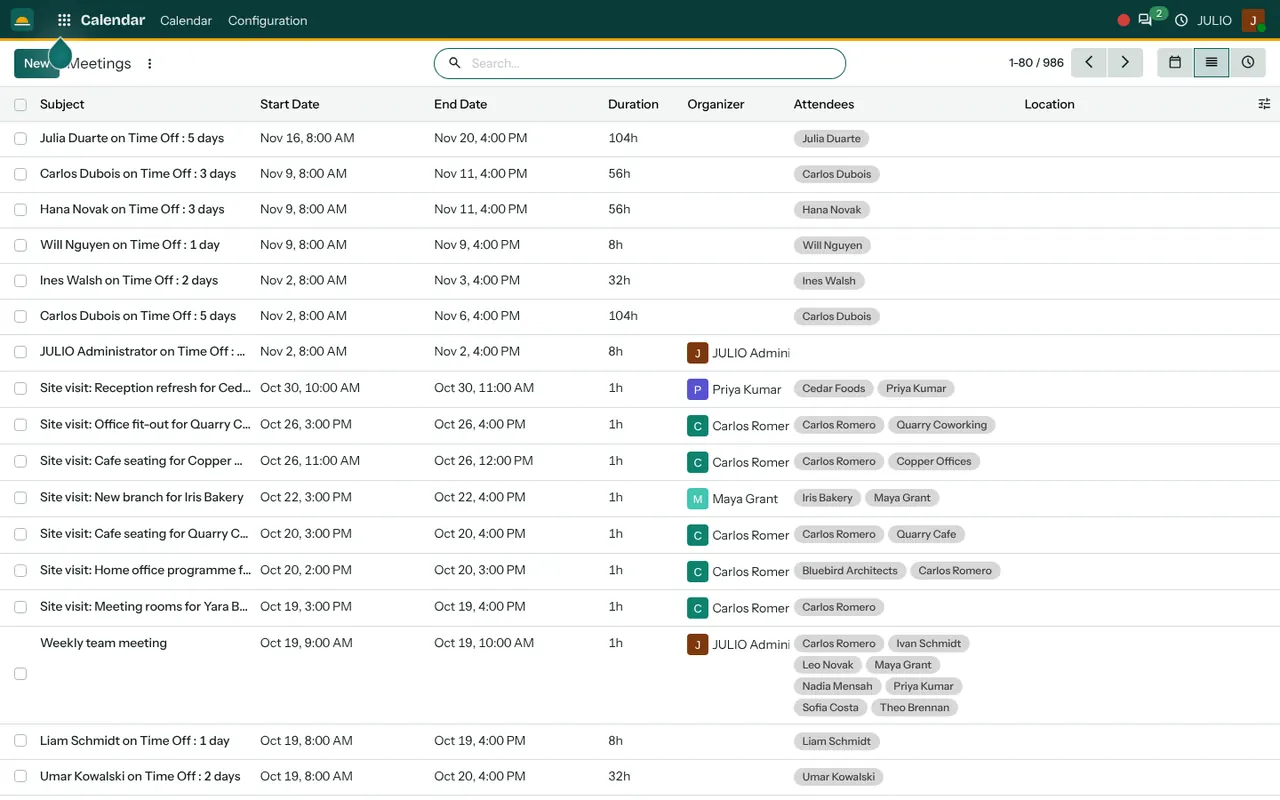
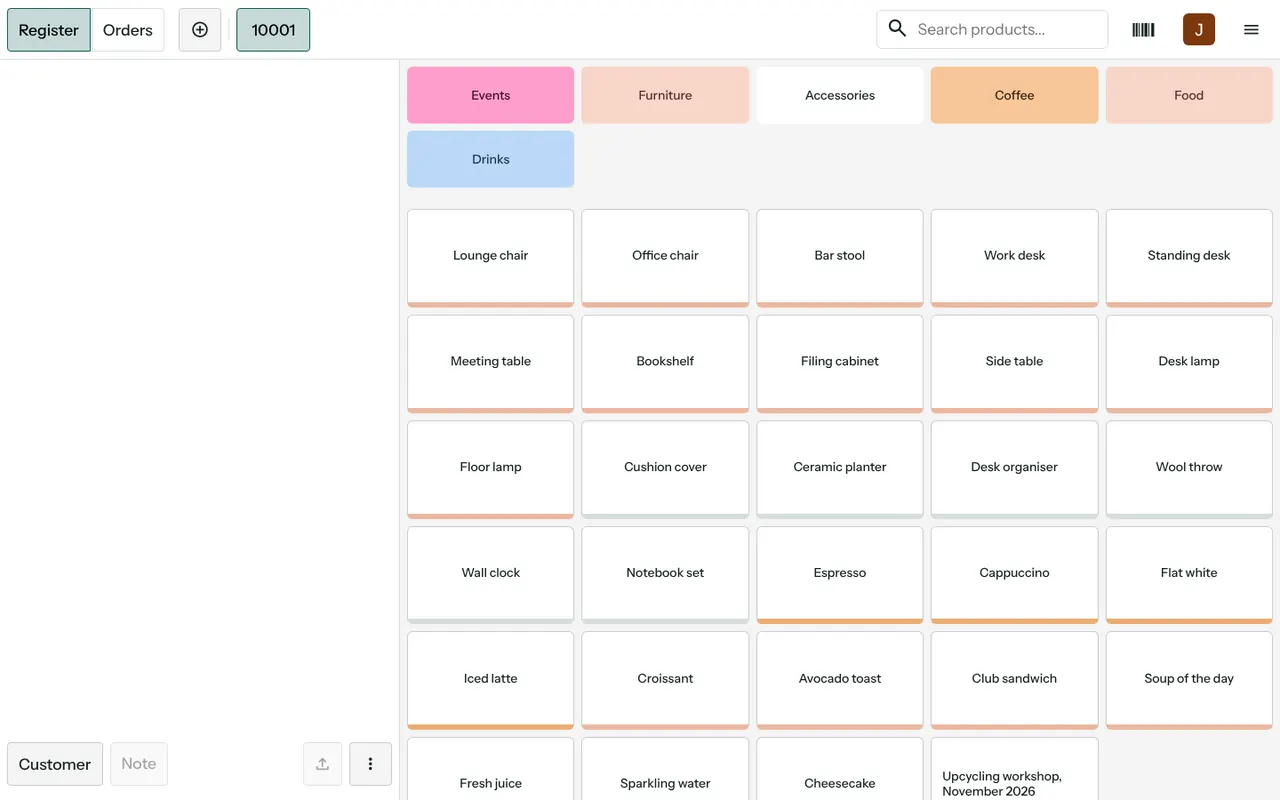
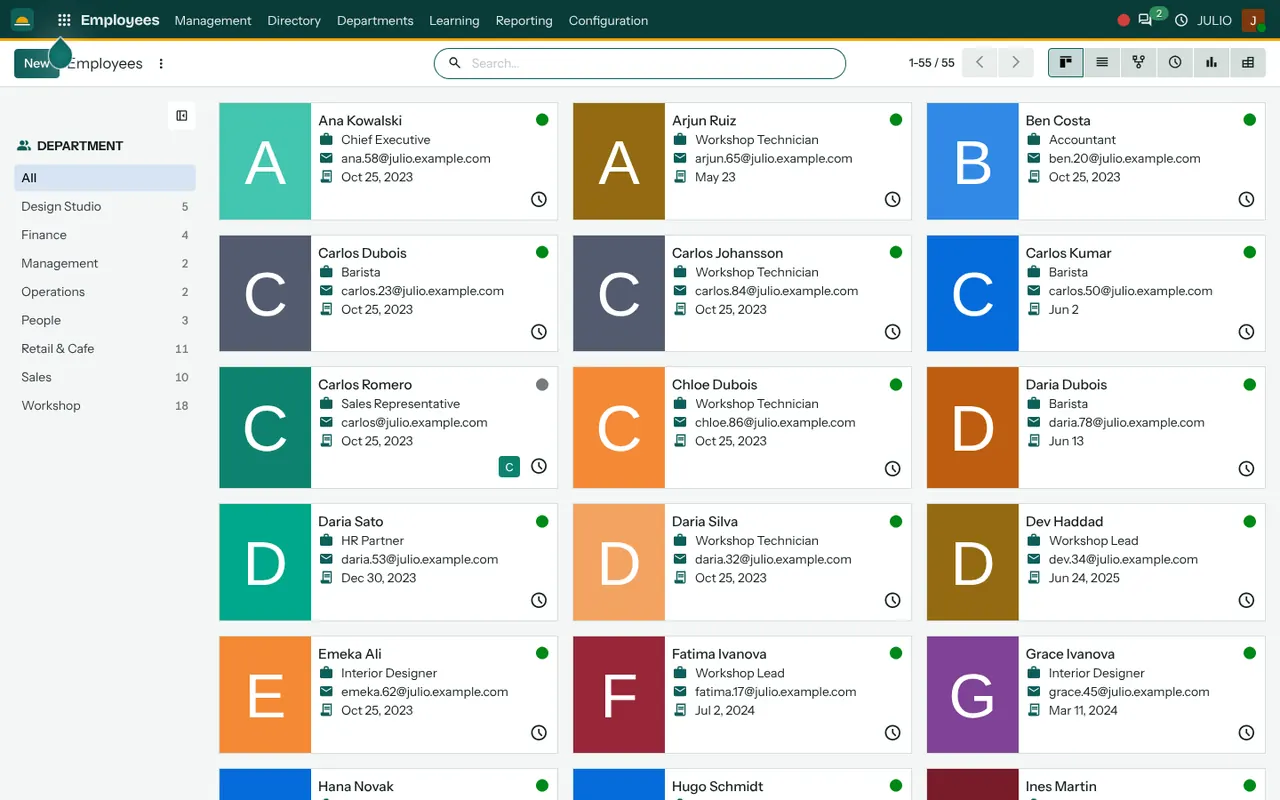
The first is the meetings list, with subject, start and end, duration, organizer and attendees. The second is the till, with category buttons across the top, product tiles below and Customer and Note buttons for the open bill. The third is the staff directory, shown as cards with a job title and a department list on the left.
What JULIO does not do for salons
Better to say this early than to find out in the second month. ERP for salons from JULIO is a business system, not a booking engine.
- It has no online booking page where clients pick a slot themselves. That is custom work, quoted separately.
- It does not run a loyalty card scheme or membership packages out of the box. Any such scheme is a scoping conversation.
- It does not calculate stylist incentives on its own. We can discuss how to track it.
- Text messaging goes through a provider, which may charge per message and may need registration in India. Those charges are not in the plan.
How a first release of ERP for salons could look
A first release of ERP for salons should survive one full weekend. Set up your services and products at the till, enter staff, and start recording every bill there. Do not try to move the appointment book on day one if the desk is comfortable with a paper diary.
In the second step of ERP for salons, bring the appointments into the calendar and let two people use it side by side with the old diary for a week. Third, count the consumables once and let sales and purchases keep the figure honest. Reminders by text come last, when the client list is clean enough to message.
Conclusion
ERP for salons works when the desk finds it faster than the paper diary. At DigiGrowvity, in our experience setting up ERP projects, small teams adopt a system when the first screen they use saves them a minute every hour. For a salon that is usually the till, then the appointment calendar. The rest can follow at the pace of the team.
Key Takeaways
- ERP for salons needs an appointment calendar, a fast till, consumables stock, staff records and reminders.
- The common starting set for ERP for salons is Calendar, Point of Sale, Employees, Inventory and SMS Marketing.
- Online booking pages and loyalty schemes are custom work, quoted separately.
- JULIO runs on your own network, with no limit on users.
- The plan is ₹10,000 once, with 1 year of technical support free.