 DigiGrowvity
A billing counter has a simple rhythm: scan, tap, bill, next. The trouble starts after the last customer leaves, when the cash drawer, the card slips and the stock shelf all have to agree. ERP for POS counters is a system where the till is not an island. Each sale reduces stock, each day's takings reach the accounts, and the owner reads the result in the morning. JULIO ERP gives a counter a till, stock, invoicing, staff records and dashboards, with no limit on users on your own Wi-Fi.
What ERP for POS counters needs to do
A counter business is judged on two things: how fast the queue moves and whether the closing figure is right. Everything below serves one of those.
| Need | Module that covers it |
|---|---|
| Quick billing by scan or search | Point of Sale |
| Stock that falls with every sale | Inventory |
| A daily total that matches the drawer | Invoicing |
| Cashier and shift records | Employees |
| A morning look at yesterday | Dashboards |
- Billing without hunting. A cashier should reach any item in one or two taps, or by scanning.
- Several counters, one catalogue. A price changed once should change at every till.
- Closing that balances. At the end of a shift the system total should be the number you compare with the cash and the card machine.
- Stock that is honest. Counter items sell in ones and twos all day, so the shelf count drifts unless each sale reduces it.
- Knowing who rang what. Disputes are easier to settle when each bill carries a cashier and a time.
The common starting set for ERP for POS counters
Most counters that adopt ERP for POS counters begin with the five modules below. We confirm your own set in discovery, because a one-till kiosk and a three-till shop need different things.
 Point of SaleFast checkout for shops and counters
 InventoryStock across every warehouse
 InvoicingInvoices, bills and payments
 EmployeesStaff records in one place
 DashboardsLive numbers for the whole business
Point of Sale, the till itself
The till is where the work happens. Products sit in tiles under category buttons, there is a search box and a barcode icon at the top, and the cashier can attach a customer or a note to the bill. Each counter opens a session and closes it, which gives you a natural unit to reconcile. See the Point of Sale module.
Inventory behind the counter
Every sale needs to take something off a shelf somewhere. Inventory holds the quantity per item and per location, so the back room and the shop floor can be counted separately, and a reorder can be started when a fast seller runs low. This is why ERP for POS counters treats stock and till as one subject. See the Inventory module.
Invoicing for the books
Counter sales do not stay in the till, and ERP for POS counters should carry them onward. They reach accounts as paid entries, so your accountant works from the same figures you saw on the day. You can also raise a normal invoice for the customer who wants one with a business name on it. See the Invoicing module.
Employees, so a bill has an owner
Cashiers and supervisors are records in the system, which means a bill can be traced to a person and a shift. This is simple, but it removes a lot of end-of-day argument in any ERP for POS counters set-up. See the Employees module.
Dashboards for a quick read
The dashboards show money in, orders to ship, stock value and people, over 30 days, 90 days or 12 months. For an owner running ERP for POS counters, this is the five-minute morning check. See the Dashboards module.
What ERP for POS counters looks like
These are real screens of ERP for POS counters from the JULIO demo database. The demo is a fit-out and furniture business with a shop and a café counter, so the names and figures are demo data, not yours.
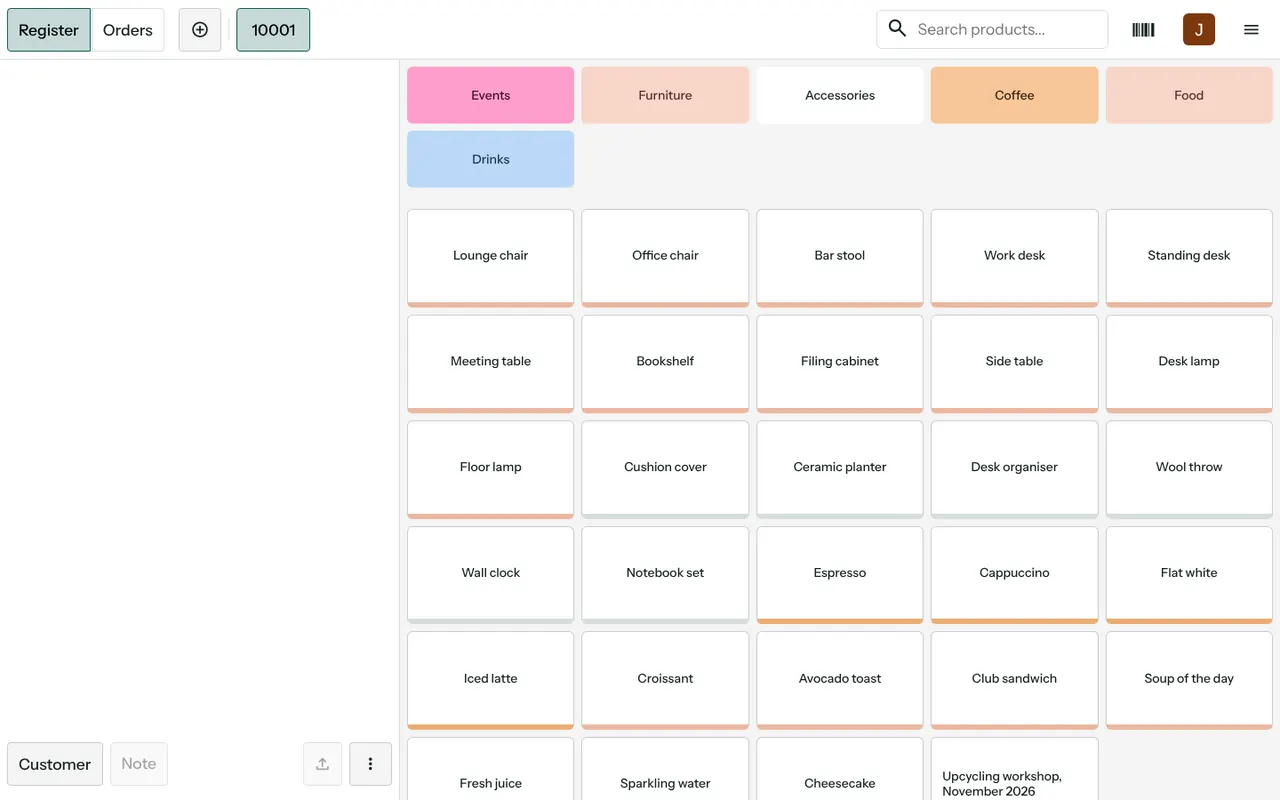
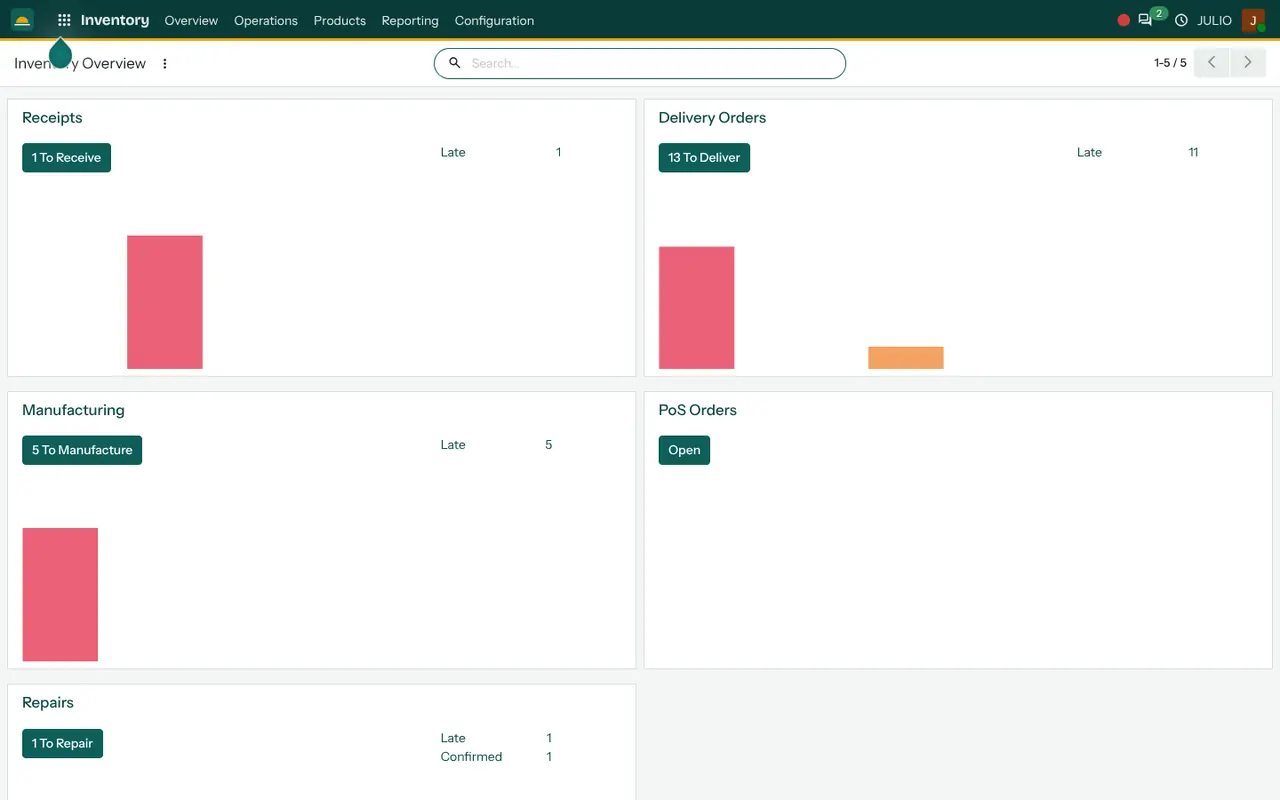
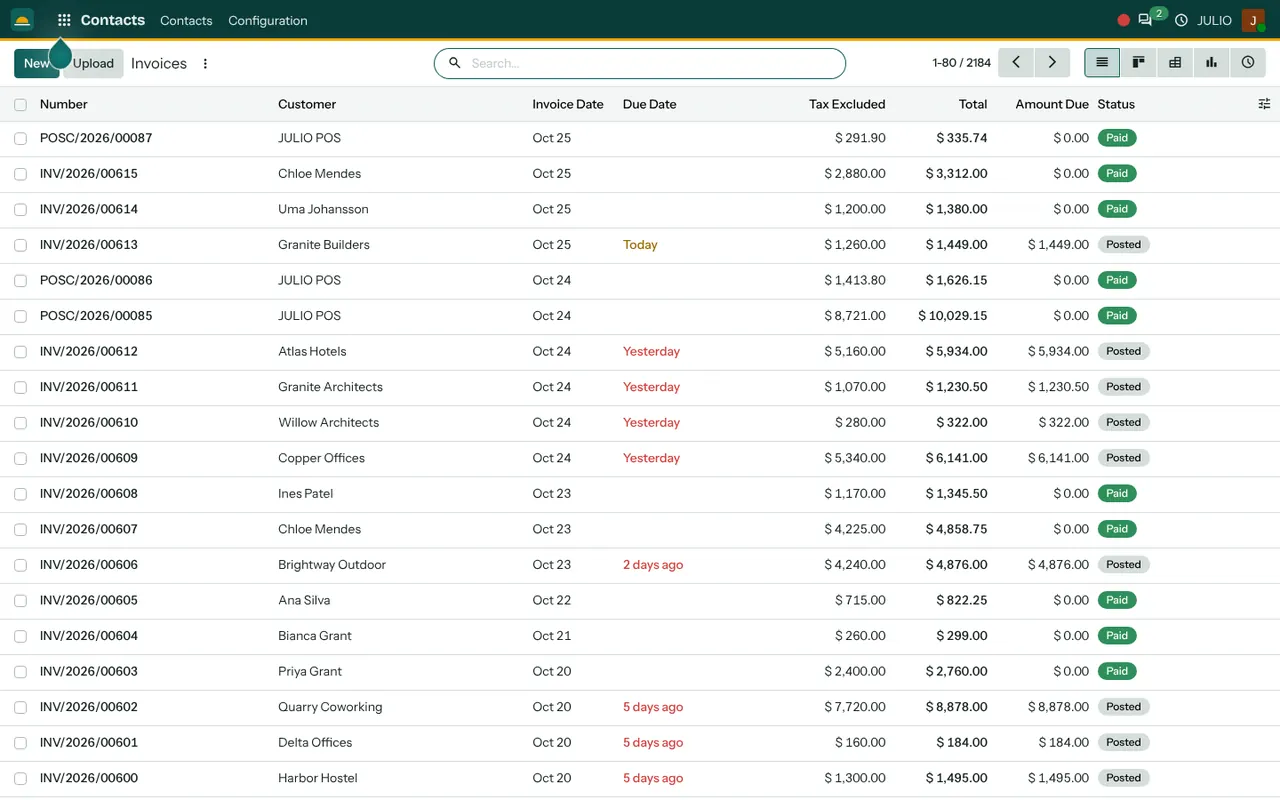
In the first screen, categories run along the top, product tiles fill the page, and the top bar carries Register and Orders tabs, a product search and a barcode button. The bottom left holds the Customer and Note buttons. The shops overview shows each counter with a Continue Selling button and its opening cash. The order list shows an order reference, session, date, receipt number, cashier column and a Posted status, and the invoice list carries the counter's daily entries marked Paid.
What JULIO does not do for POS counters
It is better to know the limits before you start. JULIO is a business system for billing and stock, and some needs sit outside ERP for POS counters of this kind.
- Hardware. Receipt printers, cash drawers, barcode scanners and card machines are checked against your actual devices in discovery. Special connection work is custom, quoted separately.
- Payment machines. We do not promise a direct link to every bank terminal. Many shops enter the amount on a separate machine and mark the payment type.
- Weighing scales and label printing. Not part of the standard set. Custom work if you need them.
- Loyalty schemes and coupons. Scoped separately if they matter to you.
- Tax filing. The system holds GST taxes and HSN codes, but returns are filed by you or your accountant.
How a first release of ERP for POS counters could look
A first release of ERP for POS counters is deliberately small. The catalogue of items and prices goes in first, cleaned from your current list. One counter goes live with the till and stock, while the old method keeps running beside it for a short parallel run. Once the daily closing figure matches the drawer for the people who count it, further counters are added. Invoicing for business customers, staff records and dashboards follow when the till feels routine.
Conclusion
ERP for POS counters should make closing time shorter, not longer, which is why the till comes first. At DigiGrowvity we set up JULIO ERP for growing businesses, and in our experience of setting up ERP projects, counters do best when the item list is cleaned before anything else is switched on. Start with one till and the stock, trust the closing figure, then widen it.
Key Takeaways
- ERP for POS counters needs a fast till, shared prices, a balanced closing and honest stock.
- The common starting set is Point of Sale, Inventory, Invoicing, Employees and Dashboards.
- Each counter works in sessions, which gives a clear unit to reconcile.
- Printers, scanners, scales and loyalty schemes are checked in discovery, and custom work is quoted separately.
- The plan is ₹10,000 once, with unlimited users and 1 year of free support.