 DigiGrowvity
A chemist's counter is busy, quiet and urgent in turns. One customer wants a strip of tablets, the next is waiting for a monthly refill, and in between a wholesaler's delivery boy hands over cartons with a bill. ERP for pharmacies ties those moments together. The till reduces stock, the delivery is checked against the order, and the wholesaler's bill is matched before you pay. JULIO ERP gives a pharmacy these tools, with no limit on users on your own network.
What ERP for pharmacies needs to do
Pharmacy is a small-margin trade with strict handling. The needs below are the ones that decide whether software helps.
| Need | Module that covers it |
|---|---|
| Quick billing at the counter | Point of Sale |
| Stock of thousands of small items | Inventory |
| Orders and bills from wholesalers | Purchase |
| Tax-correct invoices and payments | Invoicing |
| Regular customers and refills | Contacts |
- A very long list of small items. Hundreds of medicines look alike, differ by strength and pack, and sell in strips and loose tablets.
- Wholesalers on credit. Dues to a distributor are paid on a cycle, so knowing what is owed and when matters.
- Short-dated stock. Expiry is the pharmacy's quiet cost, and the system should help you think about it.
- Customers who come back monthly. A repeat buyer for diabetes or blood-pressure tablets is worth remembering.
- GST on a mix of rates. Medicines, devices and general goods carry different rates on the same bill.
The common starting set for ERP for pharmacies
Chemists usually begin ERP for pharmacies with the five modules below. It is a common starting set, and we confirm yours in discovery.
 Point of SaleFast checkout for shops and counters
 InventoryStock across every warehouse
 PurchaseOrders to suppliers, on time
 InvoicingInvoices, bills and payments
 ContactsCustomers and suppliers
Point of Sale for the counter
In ERP for pharmacies the till is where each bill is made. Items sit under categories, with a search box and a barcode button, and the cashier can add a customer or a note to a bill. A pharmacist working the counter can therefore bill fast and still record who the customer was. See the Point of Sale module.
Inventory for medicine stock
Stock is held by product and location, with counted and reserved quantities and a replenishment shortcut on each line. That shortcut is the starting point of a reorder list, the habit that ERP for pharmacies is meant to build. See the Inventory module.
Purchase for wholesaler orders
Each purchase order carries the vendor, the total, a billing status such as Fully Billed and an expected arrival date. This makes it easy to see which wholesaler delivery is still outstanding and which has been billed. See the Purchase module.
Invoicing for bills and dues
Invoices and supplier bills share one list with status labels. Counter sales reach the accounts as paid entries, and wholesaler bills wait as unpaid until you settle them. We configure GST taxes and HSN codes in our implementation projects. See the Invoicing module.
Contacts for regular customers
One list holds customers and suppliers, with email, phone and a place for follow-up activities. Wholesalers are in the same list as the households you serve, which keeps ERP for pharmacies simple. See the Contacts module.
What ERP for pharmacies looks like
These are real screens of ERP for pharmacies from the JULIO demo database. The demo business sells furniture and runs a café counter, so the items are not medicines.
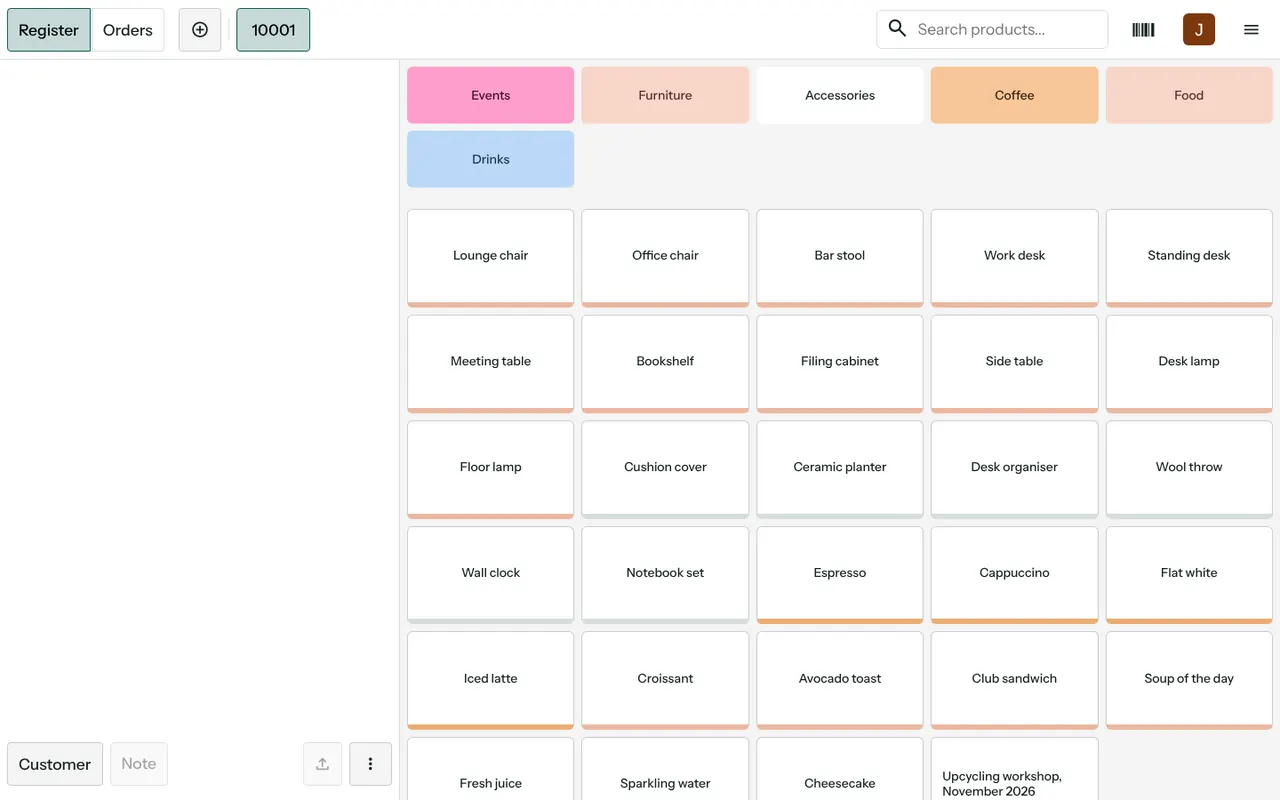
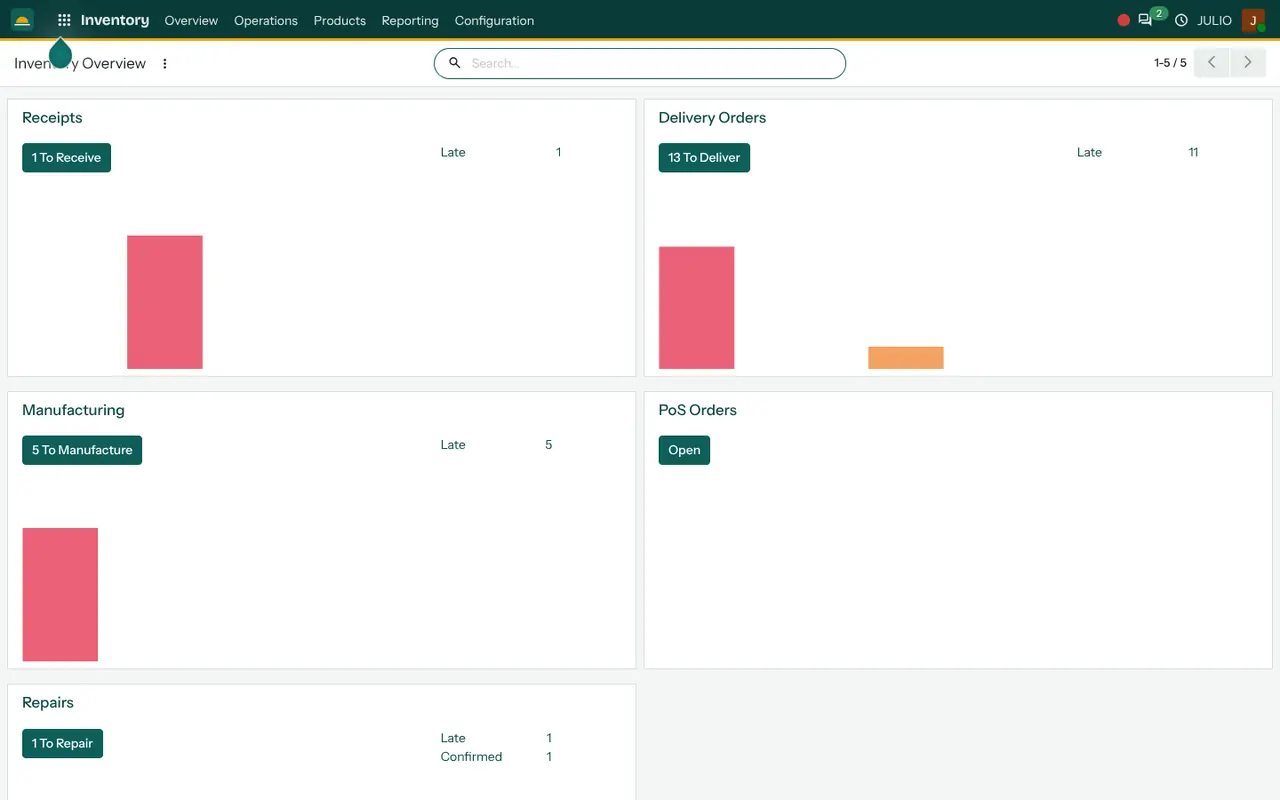
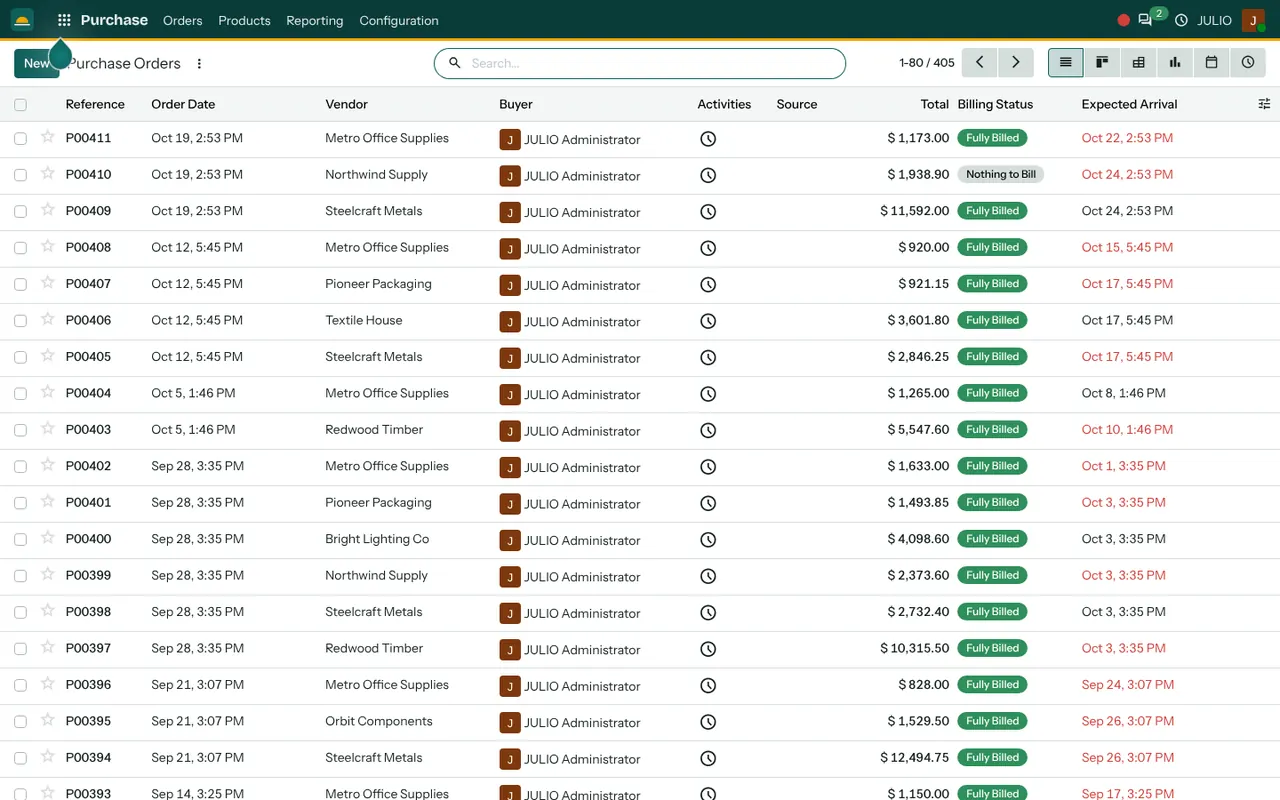
The till has category buttons above a grid of item tiles, and a barcode icon beside the search box. The inventory overview counts receipts, deliveries and late items on tiles. The purchase list is a table of vendors with totals, billing status and expected dates, where late dates stand out in red.
What JULIO does not do for pharmacies
A pharmacy is a regulated trade, and ERP for pharmacies cannot replace the pharmacist's duties.
- Batch and expiry tracking. Batch numbers and expiry dates are important for medicines. We do not promise them as standard. Whether and how to track them is decided with you in discovery, and deeper control is custom work, quoted separately.
- Prescription and drug registers. Records for scheduled drugs, narcotics or doctor prescriptions are not included, and you keep the legal registers your licence needs.
- Drug information. The system does not check interactions, substitutes or dosage.
- E-pharmacy and delivery apps. Links to ordering platforms are custom.
- Tax filing. GST taxes are configured, and returns are filed by you or your accountant.
How a first release of ERP for pharmacies could look
A first release of ERP for pharmacies begins with a clean product list: names, strengths, pack sizes, rates and GST. Opening stock is counted shelf by shelf, preferably after closing. The till goes live on one counter, and wholesaler orders and bills are entered the same week, so deliveries are matched from day one. The customer list is cleaned after that. Decisions about expiry tracking are made before go-live, not after.
A small amount of training goes a long way. The counter staff learn the till in a short session, the person who receives goods learns the purchase order screen, and the owner learns the invoice list and the dashboard. Each role needs only its own few screens, which keeps ERP for pharmacies from feeling like a second job.
Conclusion
ERP for pharmacies is about controlling a thousand small things without slowing the queue. At DigiGrowvity we set up JULIO ERP for growing businesses, and in our experience of setting up ERP projects, the product list is where a chemist's project is won or lost. Get the names, packs and rates right first, then add the counter, the wholesalers and the regular customers.
Key Takeaways
- ERP for pharmacies joins counter billing, medicine stock and wholesaler purchasing.
- The common starting set is Point of Sale, Inventory, Purchase, Invoicing and Contacts.
- Counter sales reduce stock, and wholesaler bills are matched to the order.
- Batch and expiry depth, drug registers and e-pharmacy links are confirmed in discovery or quoted as custom work.
- The plan is ₹10,000 once, with unlimited users and 1 year of free support.