 DigiGrowvity
A hospital has two kinds of work. One is clinical, done at the bedside and recorded in medical software. The other is the business that keeps the lights on: gloves arriving at the store, a supplier waiting to be paid, nurses clocking in for the night shift. ERP for hospitals covers the second kind. JULIO ERP gives a hospital stock, purchasing, staff attendance and invoicing in one system, and it makes no claim to run the wards. There is no limit on users on your own network.
What ERP for hospitals needs to do
Behind every ward is a stores room, a purchase desk and a payroll sheet. These are the business needs the system must meet.
| Need | Module that covers it |
|---|---|
| Consumables in central and ward stores | Inventory |
| Orders to medical suppliers | Purchase |
| Records of doctors, nurses and staff | Employees |
| Check-in and hours worked | Attendances |
| Bills and supplier payments | Invoicing |
- Stores that never run dry. Syringes, gloves, dressings and cleaning supplies must be there when a ward asks, and running out is an operational risk.
- Many suppliers, many lines. A hospital buys from equipment vendors, consumable distributors and service contractors, each with its own terms.
- Shift-based staff. Doctors, nurses, technicians and housekeeping work different hours, including nights.
- Control over what is spent. Purchases should be traceable from the order to the supplier bill to the payment.
- A clear view for the management. Administrators want stock value, late deliveries and unpaid bills in one place.
The common starting set for ERP for hospitals
Hospitals usually begin ERP for hospitals with the five modules below. It is a common starting set, and we confirm yours in discovery, because a 20-bed nursing home and a large multi-department hospital are very different projects.
 InventoryStock across every warehouse
 PurchaseOrders to suppliers, on time
 EmployeesStaff records in one place
 AttendancesCheck-ins and working hours
 InvoicingInvoices, bills and payments
Inventory for the central store and ward stores
In ERP for hospitals, stock is counted by item and location, so the central store and each ward store can be kept apart. Each line shows the counted quantity and the reserved quantity, with a replenishment shortcut. Transfers between locations are recorded as documents with a status. See the Inventory module.
Purchase for medical supplies and services
An order shows the vendor, the buyer, the total, the billing status and the expected arrival date, so a late delivery is visible in red. For a hospital this is the audit trail from request to supplier, a core need in ERP for hospitals. See the Purchase module.
Employees, for everyone on the payroll list
Staff records are grouped by department and can be seen as cards, a list or an organisation chart. Doctors, nurses and administrative staff all have a record with job title and department. See the Employees module.
Attendances, for shifts and hours
The attendance list shows each person's check-in, check-out, break duration and hours, with a status such as Validated. A kiosk mode is available for check-in at a shared screen. See the Attendances module.
Invoicing for supplier bills and general billing
Vendor bills and customer invoices sit in one ledger with their payment status. This covers the accounts side of ERP for hospitals. It is not a patient billing system, and we explain that below. See the Invoicing module.
What ERP for hospitals looks like
These are real screens of ERP for hospitals from the JULIO demo database. The demo business is a furniture and fit-out company, so the items are chairs and timber, not medical goods.
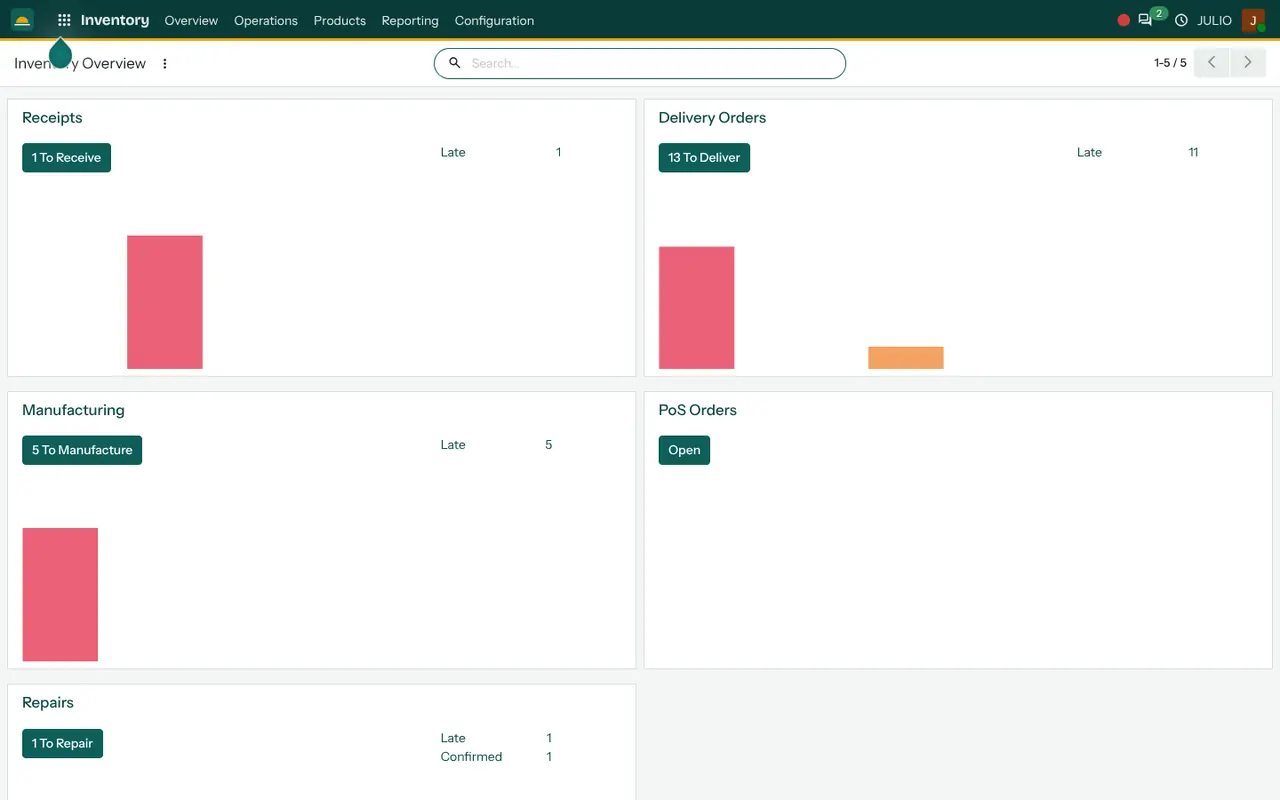
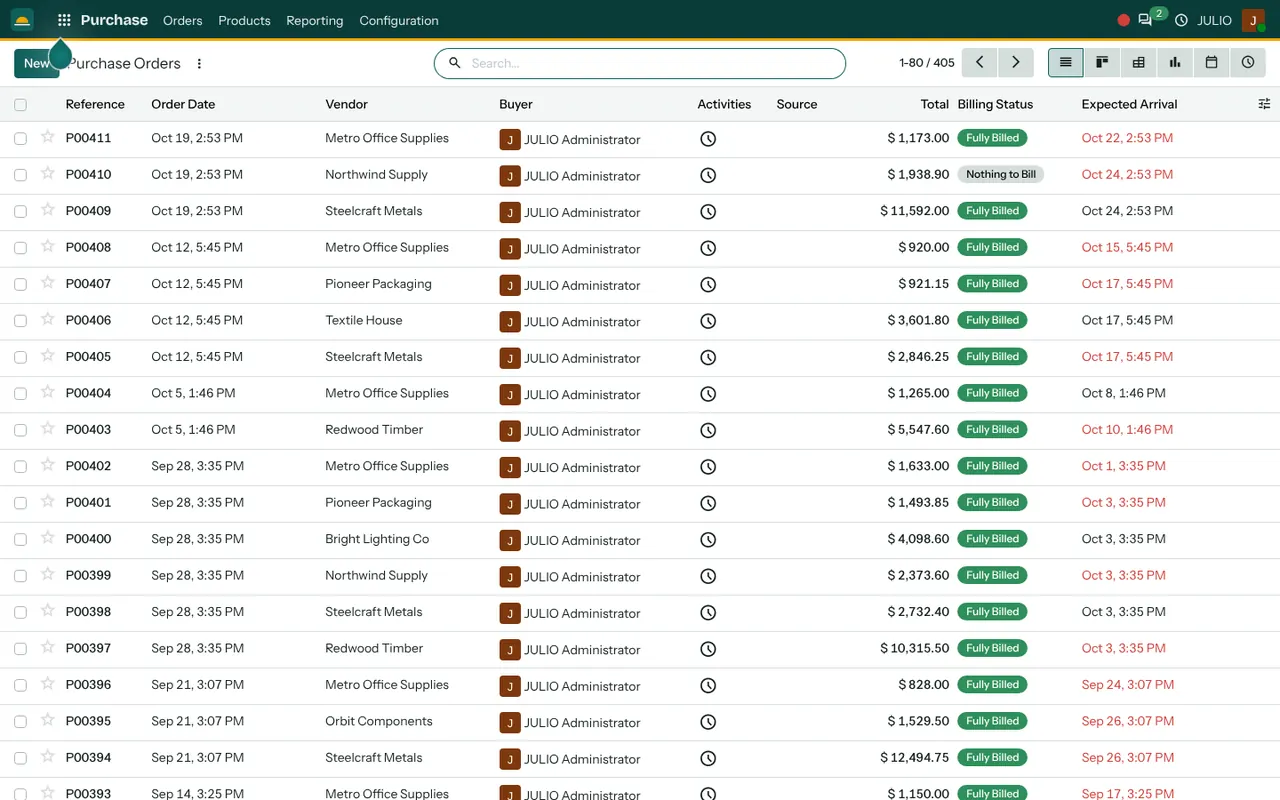
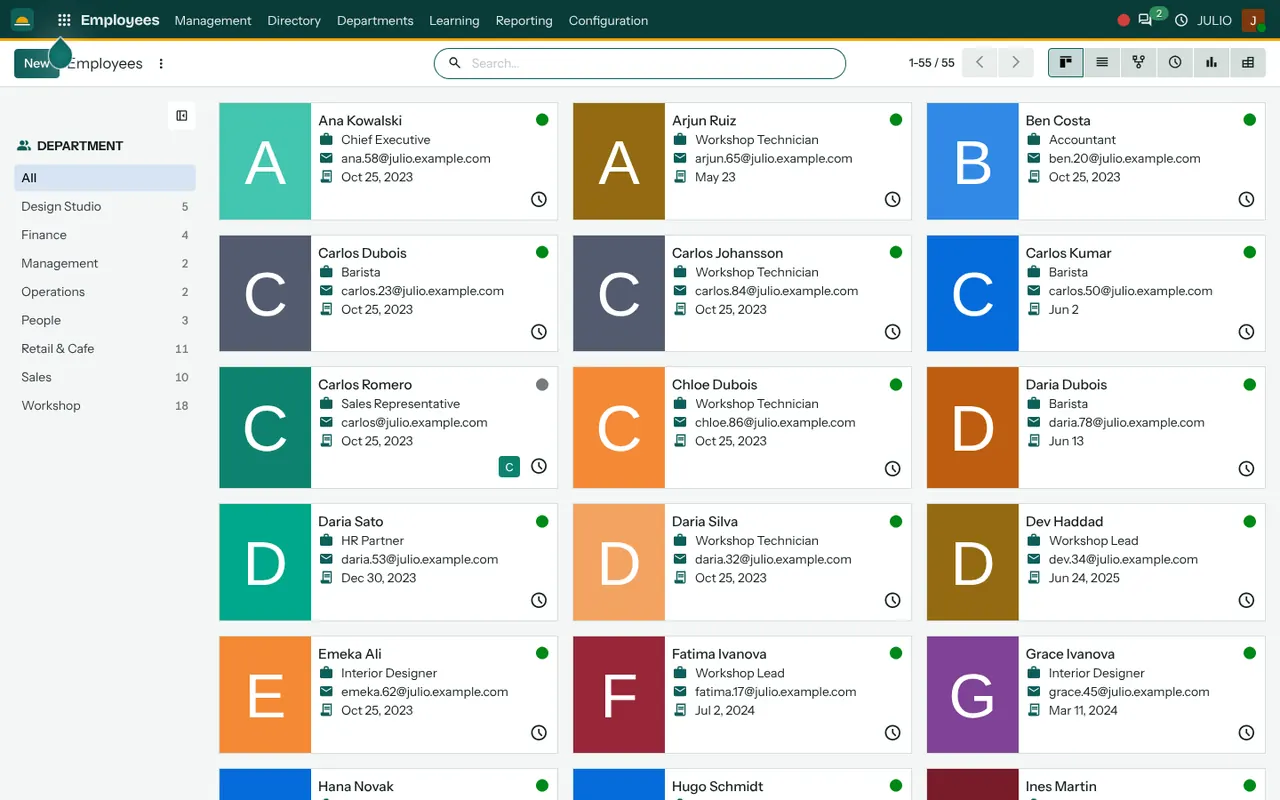
The inventory overview groups work by receipts, deliveries and other flows, each with its late count. The purchase list gives vendor, buyer, total, billing status and expected arrival. The employee directory shows staff as cards with a department filter down the left.
What JULIO does not do for hospitals
A hospital system is a large field, and ERP for hospitals in JULIO is not trying to cover all of it.
- Clinical records. Patient charts, orders, prescriptions, nursing notes and discharge summaries are outside JULIO.
- Patient registration and billing. Admission, bed allocation, outpatient and inpatient billing, package pricing and insurer claims are custom work, quoted separately, if you need them here at all.
- Lab, radiology and device links. Connections to diagnostic systems are custom.
- Pharmacy dispensing at the ward. The stores can hold drugs as stock, but dispensing rules and schedule registers are not included.
- Government health integrations. Links to national health programmes are custom work.
How a first release of ERP for hospitals could look
A first release of ERP for hospitals normally starts in the stores and the purchase desk. The item list is cleaned, opening stock is counted location by location, and purchase orders begin to flow through the system for one category of goods. Staff records and attendance come next, with a parallel run beside the existing register. Invoicing joins after the first full month of purchasing is reconciled. Clinical systems stay where they are.
The parallel run matters most in the stores. For a few weeks the store keeper records issues and receipts in both the old register and the new system, and the two are compared at the end of each week. Differences are explained, not hidden, and that habit is what makes ERP for hospitals reliable in the long run.
Conclusion
ERP for hospitals should be judged by how much quieter the back office becomes. At DigiGrowvity we set up JULIO ERP for growing businesses, and in our experience of setting up ERP projects, the sensible path is to start with stores and purchasing, where the control gains are quickest, and leave clinical software untouched. Staff attendance and accounts then join a base that already works.
Key Takeaways
- ERP for hospitals handles stores, purchasing, staff, attendance and accounts, not patient care.
- The common starting set is Inventory, Purchase, Employees, Attendances and Invoicing.
- Central and ward stores can be tracked as separate locations.
- Clinical records, patient billing, insurer claims and lab links are not included, and custom work is quoted separately.
- The plan is ₹10,000 once, with unlimited users and 1 year of free support.