 DigiGrowvity
On a building site, money leaves in three directions at once: hours on the crew, materials on the lorry and small cash expenses nobody writes down. ERP for construction companies pulls those three streams back under the job they belong to, so the question "are we making money on this site?" has an answer before the project ends. JULIO ERP gives a construction firm project boards, timesheets, purchasing, expense claims and a vehicle register, with no cap on users on your own network.
What ERP for construction companies needs to do
A contractor does not sell a product off a shelf. Each job is a one-off, so ERP for construction companies has to serve these five needs.
| Need | Module that covers it |
|---|---|
| One record per site or job | Project |
| Crew and supervisor hours | Timesheets |
| Materials for the site | Purchase |
| Cash spent on the road | Expenses |
| Trucks, mixers and cars | Fleet |
- Every site is its own little business. Costs and progress have to be read per job, not for the company as a whole.
- Hours drift unless they are logged. Labour is usually the biggest cost, and it is guessed far too often.
- Materials are bought against a job. Cement, steel and fittings should be ordered with the site named, not after the fact.
- Small expenses pile up. Diesel, tolls, meals and site tea decide the real margin.
- Vehicles are cost centres. Services and fuel belong to someone's account.
The common starting set for ERP for construction companies
Most ERP for construction companies starts with these five modules. It is a common set, and we confirm yours in discovery.
 ProjectTasks, boards and deadlines
 TimesheetsHours logged by project
 PurchaseOrders to suppliers, on time
 ExpensesClaims and reimbursements
 FleetVehicles, fuel and servicing
Project, one board for every site
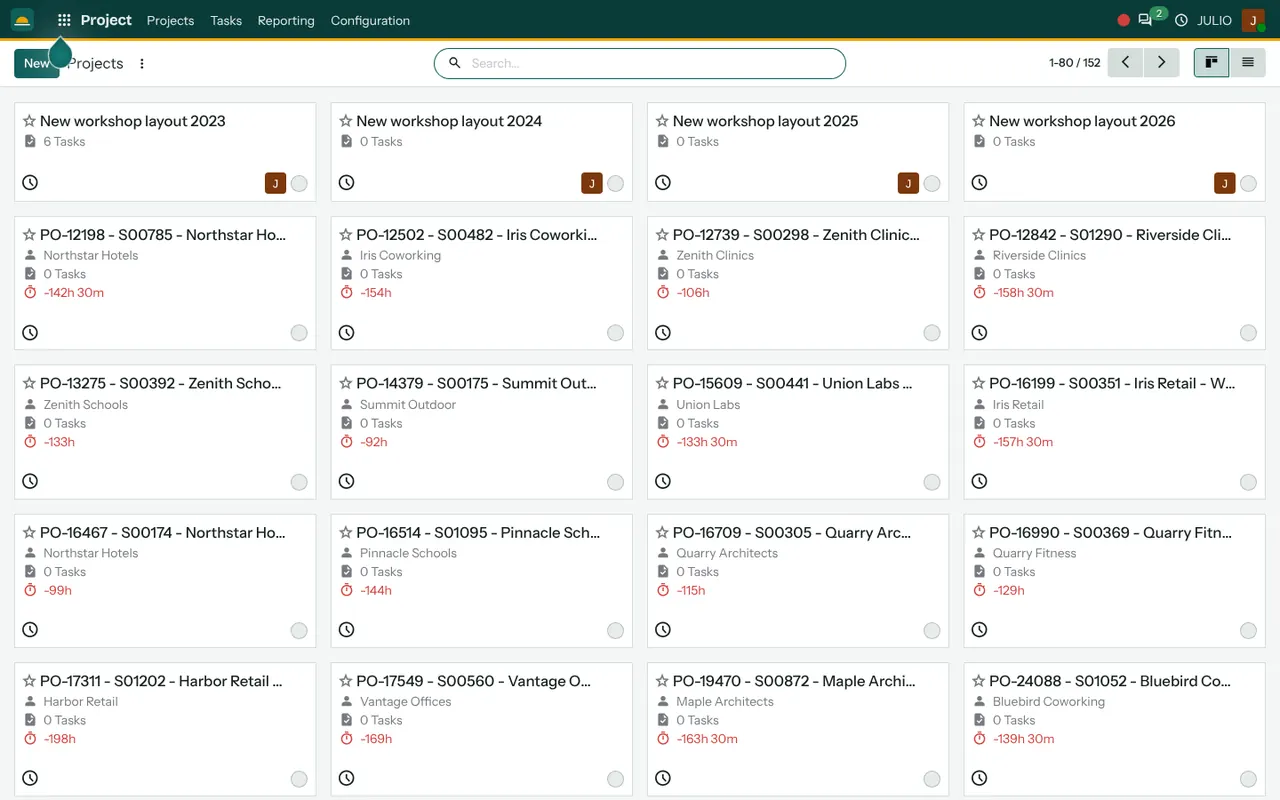
The projects overview shows each job as a card with its name, the customer and the number of tasks, and a red figure of hours appears when a job has used more time than was allocated. Open one and the tasks sit on a board by stage. See the Project module.
Timesheets for crew hours
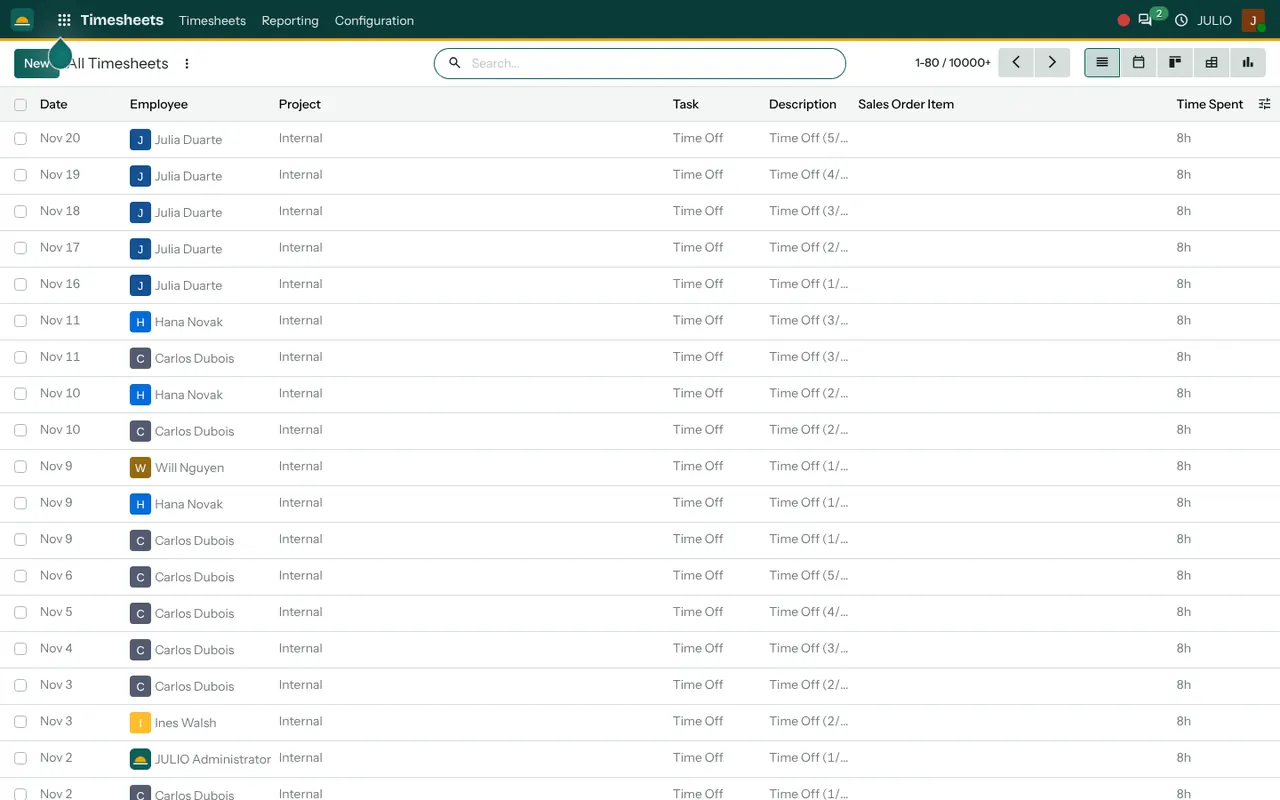
Each line records a date, an employee, the project and task, and the time spent. A supervisor who logs hours against the job gives the office a labour figure that is not a guess. See the Timesheets module.
Purchase for materials
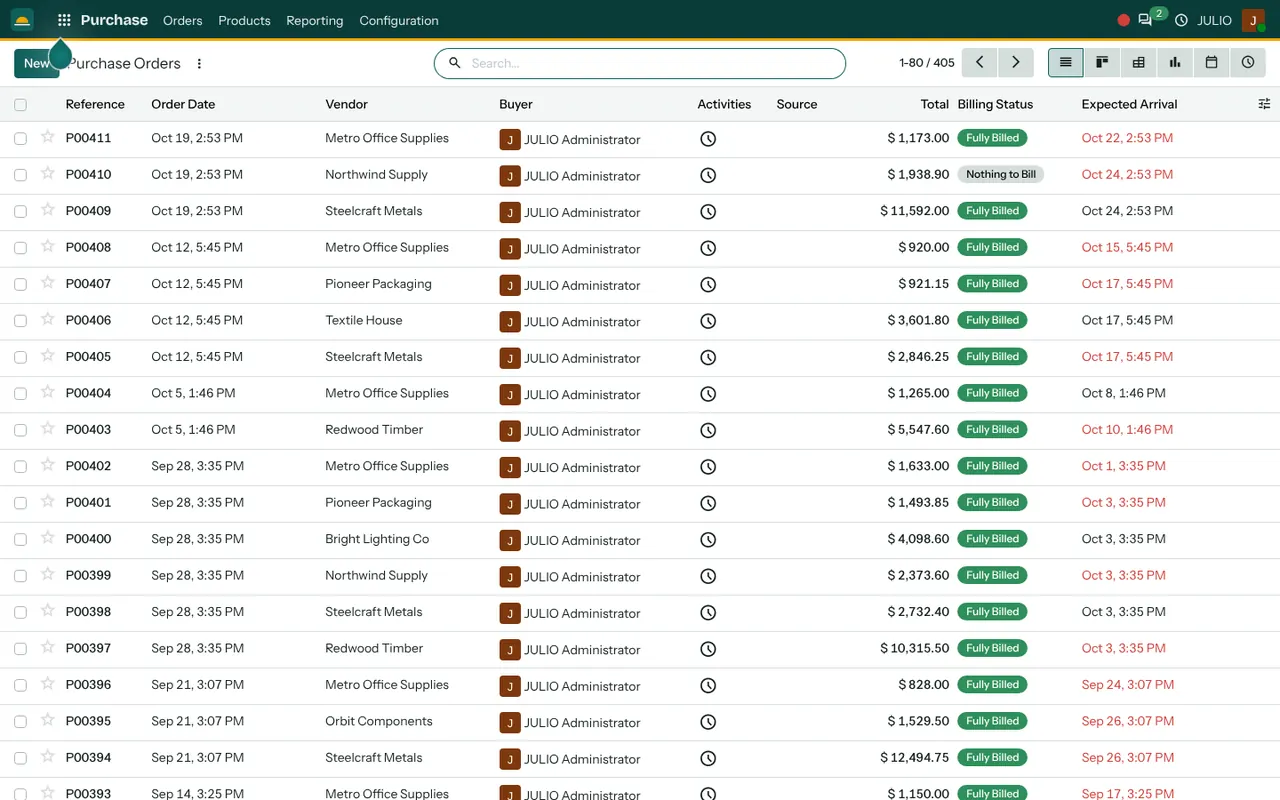
Purchase orders show the vendor, the buyer, the total, a billing status and the expected arrival date, so a site manager can see whether the steel will turn up before the pour. See the Purchase module.
Expenses for site cash
The claims screen groups money into three steps: to submit, waiting approval and waiting reimbursement. Each claim names the employee, the date, the type, such as mileage or meals, and the amount. See the Expenses module.
Fleet for the vehicles
Each vehicle appears as a card with its model and the person it is assigned to, plus its contracts. Servicing and fuel are recorded per vehicle. See the Fleet module.
What ERP for construction companies looks like in JULIO
These screens come from the JULIO demo database. It is demo data for a fit-out and furniture business, whose site work makes a fair stand-in for a building job.
Reading a site the way a manager would
Imagine a mid-sized contractor with four sites running. On Monday the owner opens the projects overview and sees every job on one screen. Site three shows a red hours figure, so he opens it and finds the crew has logged far more days than planned. He then checks Purchase to see whether materials were over-ordered. That chain, from project to hours to buying, is why contractors adopt ERP for construction companies. It turns a gut feeling about a site into something he can open and read.
What JULIO does not do for construction companies
JULIO tracks jobs, hours, buying and spending. It is not an estimating or drawing tool. Bills of quantities, running bills certified against measurement sheets, subcontractor measurement books, drawing and revision control, labour wage and payroll processing and RERA reporting are not in the standard set. Tablet apps for site engineers are not included either. Any of them can be quoted as custom work, and we tell you plainly in discovery whether it is worth building.
How a first release of ERP for construction companies could look
A first release of ERP for construction companies can begin with a single live site. Create the project, list its tasks and ask the supervisor to log hours against it each evening. Route the site's material orders through Purchase from the first day, so costs attach to the job. Then add expense claims, and finally the vehicle register. Keep the first site small enough that one person can check it daily. After a month, compare the job's logged hours and bought materials with what you budgeted, then open the next site.
Conclusion
ERP for construction companies is worth the effort when it ends the habit of discovering a loss after the handover. At DigiGrowvity, we set up JULIO ERP for growing businesses, and in our experience of setting up ERP projects, a contractor does best by starting with one live site and adding the others once the supervisors trust the entries. We do not claim a construction project of our own, so this is a common starting set that we confirm with you.
Key Takeaways
- ERP for construction companies puts hours, materials and expenses under the job they belong to.
- The usual starting set is Project, Timesheets, Purchase, Expenses and Fleet.
- Expense claims move through submit, approval and reimbursement.
- Estimating, measurement books, payroll and RERA reporting are custom work, quoted separately.
- The plan is ₹10,000 once, with unlimited users and 1 year of free support.