 DigiGrowvity
The front desk of a clinic does a surprising amount of business work. It books the doctor's time, remembers who is coming back, collects the fee and knows which doctor is away next week. ERP for clinics covers that business side. It gives the desk a shared diary, a contact list and fee invoices, and it gives the owner staff records and leave. It does not replace clinical records, and we say so plainly below. JULIO ERP has no limit on users on your own network.
What ERP for clinics needs to do
A small clinic runs on a few people and a lot of timing. The system has to protect the diary first.
| Need | Module that covers it |
|---|---|
| A shared diary of visits | Calendar |
| A list of people served | Contacts |
| Fee bills and payments | Invoicing |
| Doctor and staff records | Employees |
| Leave of doctors and staff | Time Off |
- One diary that everyone trusts. If the receptionist and the doctor see different calendars, patients arrive to a surprise.
- A contact list that does not duplicate. The same person should not appear three times under three spellings.
- Fees recorded at the visit. A consultation fee is small, but fees add up, and unpaid ones are easy to forget.
- Doctors who work in shifts. Part-time and visiting consultants make the roster harder than it looks.
- Leave that shows in the diary. A doctor on leave should not be bookable.
The common starting set for ERP for clinics
Clinics usually begin ERP for clinics with the five modules below. It is a common starting set, and we confirm yours in discovery.
 CalendarMeetings and schedules
 ContactsCustomers and suppliers
 InvoicingInvoices, bills and payments
 EmployeesStaff records in one place
 Time OffLeave requests and approvals
Calendar, the shared diary
In ERP for clinics every meeting has a subject, start and end time, a duration, an organiser, attendees and a location, and can be seen as a calendar, a list or an activity view. In the demo, time off of staff appears as entries in the same list, which is the behaviour a clinic wants for its doctors. See the Calendar module.
Contacts, for the people you serve
Contacts holds name, email, phone and country, with a column for scheduled activities. It is the one list that invoices and meetings draw on in ERP for clinics. We advise keeping the contact record to administrative details only. See the Contacts module.
Invoicing, for consultation fees
A fee invoice shows its number, customer, date, due date, total, amount due and a status such as Paid or Posted. For a clinic using ERP for clinics, a simple list of what is paid and what is pending is already a gain. See the Invoicing module.
Employees, for doctors and staff
Each person has a record with a job title and department, shown as cards, a list or an organisation chart. Part-time consultants are simply records with their own details. See the Employees module.
Time Off, so leave is planned
Leave requests are approved or refused, and a yearly calendar shows what has been taken. Approved leave also appears on the shared calendar. See the Time Off module.
What ERP for clinics looks like
These are real screens of ERP for clinics from the JULIO demo database. The demo is a furniture and fit-out business, so the meetings are site visits and the people are demo customers, not patients.
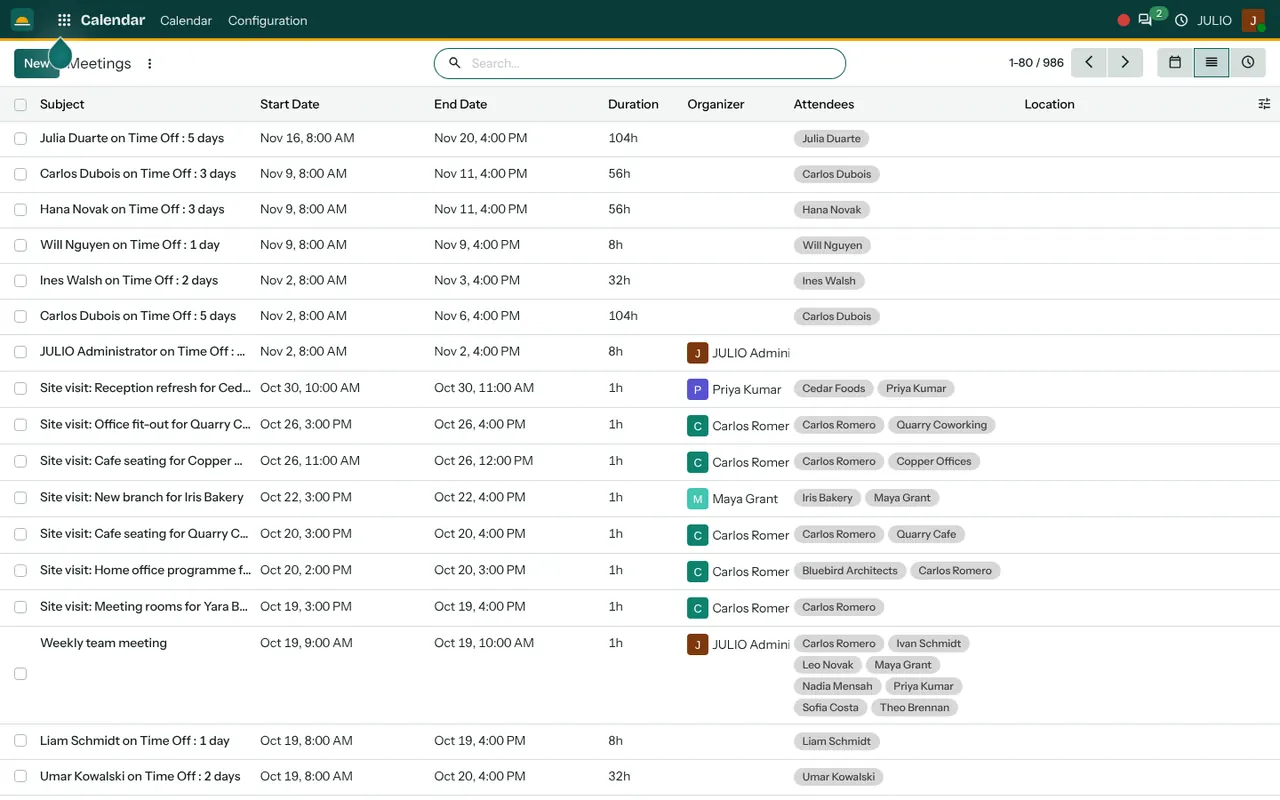
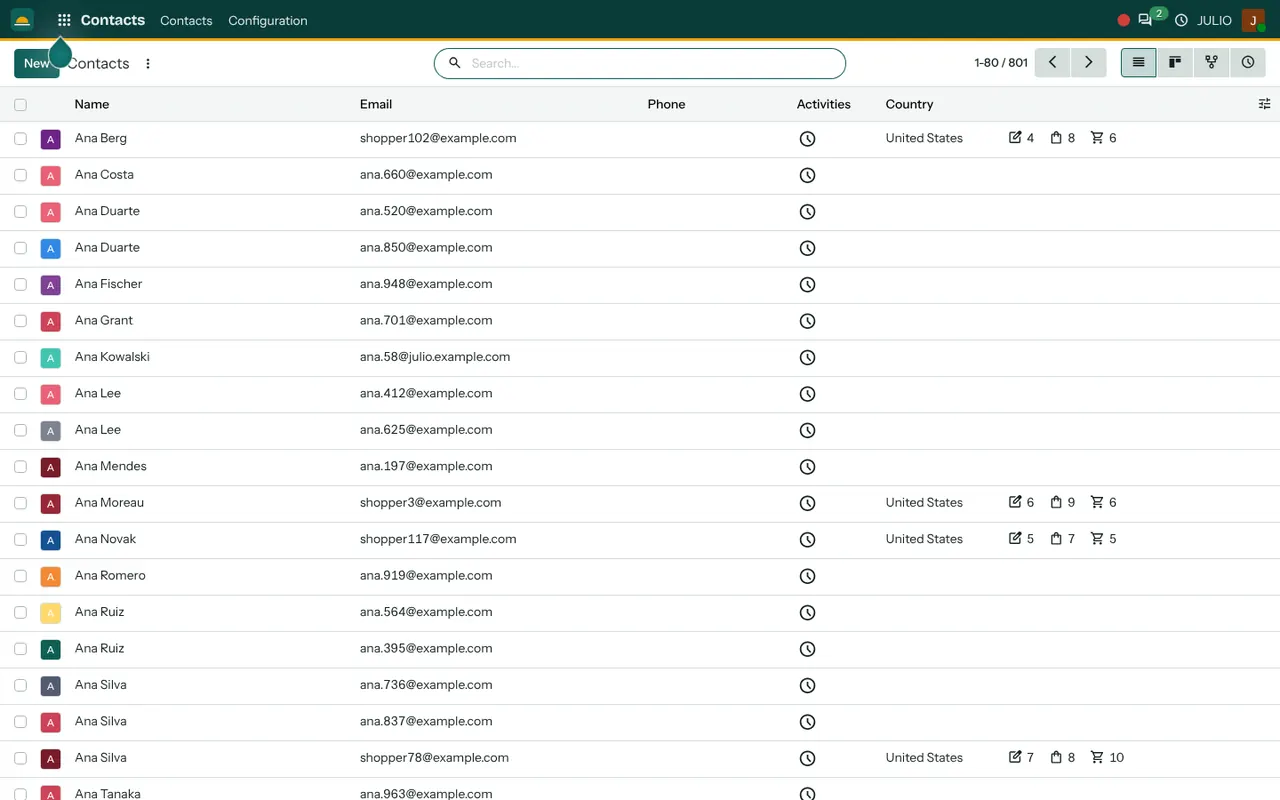
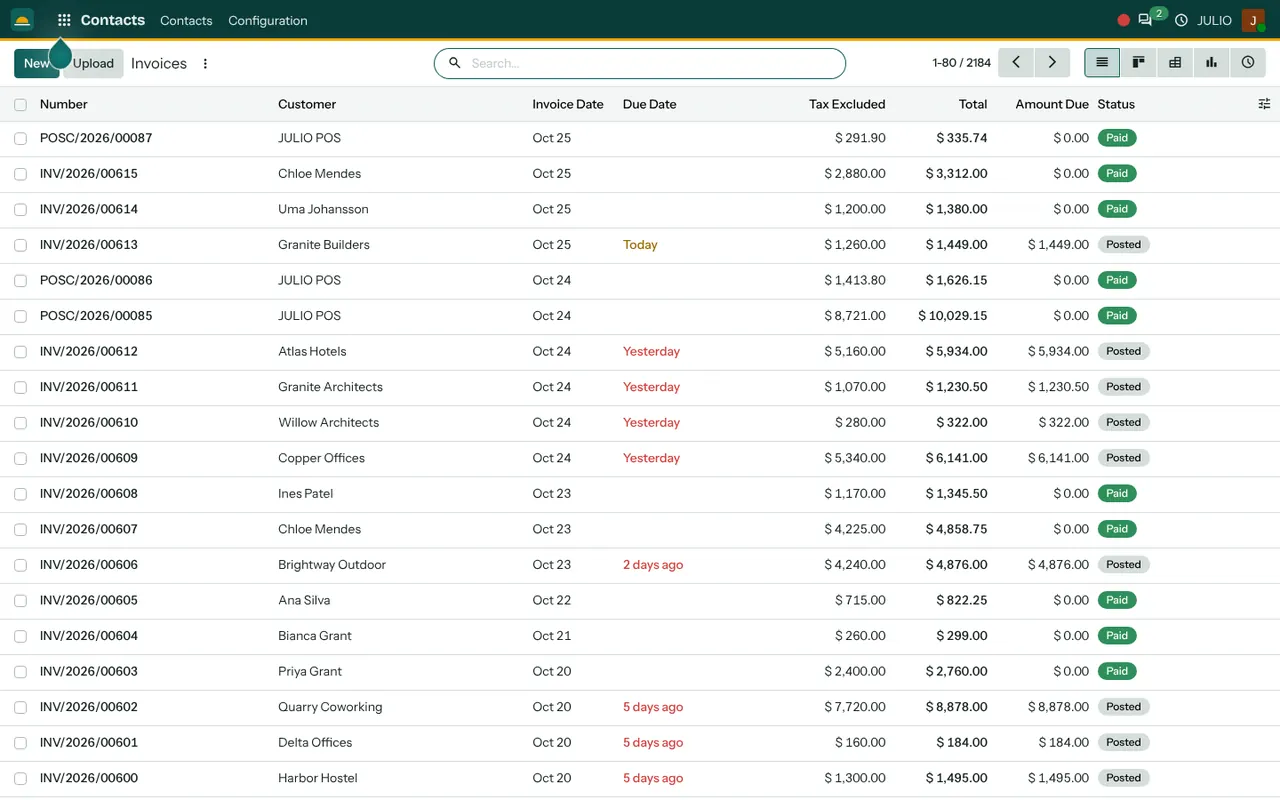
The shared calendar lists meetings such as site visits with organiser and attendees, beside entries like "on Time Off: 5 days". The Contacts screen is a long searchable list of names, emails and countries. The invoice screen shows numbers, customers, dates and the coloured Paid and Posted labels, with overdue dates in red.
What JULIO does not do for clinics
This is the section to read most carefully, because ERP for clinics sits beside, not inside, the clinical side of the work.
- Clinical and patient records. Case notes, history, prescriptions, vitals and test results are not part of JULIO. Use a purpose-built medical records system for those, and keep them out of the contact list.
- Online booking. A public page where people pick a slot is a booking engine, and it is custom work, quoted separately.
- Insurance and claims. Insurer and TPA claim handling is not included.
- Lab and device links. Connections to diagnostic machines or lab software are custom.
- Automatic reminders to patients. Message reminders from the diary are custom work, scoped separately.
How a first release of ERP for clinics could look
A first release of ERP for clinics is small on purpose. We start with the staff list, so the diary can show the right doctors. Contacts are loaded from your existing register after a clean-up of duplicates. The shared diary goes live for one doctor, then all of them. Fee invoices follow once the front desk is comfortable, and staff leave is added last. Throughout, medical notes stay in whatever system you already use.
On the first morning, the receptionist works from the new diary while the old appointment book stays open for a few days. Any mismatch between the two is a lesson about how the clinic really books, and we fix the set-up rather than blame the person. That is how ERP for clinics earns the desk's trust.
Conclusion
ERP for clinics works best when it is honest about its edge. At DigiGrowvity we set up JULIO ERP for growing businesses, and in our experience of setting up ERP projects, the right first step is to separate the business side from the clinical side and build only the first. A clean diary, a tidy contact list and fee invoices give the front desk a calmer day.
Key Takeaways
- ERP for clinics covers the business side: diary, contacts, fees, staff and leave.
- The common starting set is Calendar, Contacts, Invoicing, Employees and Time Off.
- JULIO does not hold clinical records, prescriptions or test results.
- Online booking, insurance claims and patient reminders are custom work, quoted separately.
- The plan is ₹10,000 once, with unlimited users and 1 year of free support.