 DigiGrowvity
A café runs on small, fast transactions: a coffee at the counter, a plate to table four, a delivery of milk at seven in the morning. ERP for cafes means one system that records all of it, so the till, the kitchen and the stock room tell the same story at closing time. JULIO ERP gives a café a point of sale, a table floor plan, stock and supplier ordering, with no limit on how many staff can use it on your own Wi-Fi.
What ERP for cafes needs to do
Cafés are small, but their problems are specific.
| Need | Module that covers it |
|---|---|
| Fast counter sales | Point of Sale |
| Dine-in tables | Restaurant |
| Ingredient stock | Inventory |
| Supplier deliveries | Purchase |
| Staff records | Employees |
- Speed at the counter. A queue of five people cannot wait for a screen to load, so the till has to be quick and simple.
- Tables as well as takeaway. Dine-in orders belong to a table and grow through the meal, while takeaway is paid at once.
- Stock that disappears in small pieces. Milk, beans, bread and syrups leave in quantities too small to count, so the stock figure drifts unless sales reduce it.
- Perishable buying. Suppliers deliver often and in small amounts, and mistakes show up as waste.
- Rotas and hours. Staff work short shifts, and who worked when affects pay and cover.
The common starting set for ERP for cafes
Most cafés that choose ERP for cafes begin with these five modules, and the choice is easy to change later. Each links to its own page.
 Point of SaleFast checkout for shops and counters
 RestaurantTables, floors and kitchen orders
 InventoryStock across every warehouse
 PurchaseOrders to suppliers, on time
 EmployeesStaff records in one place
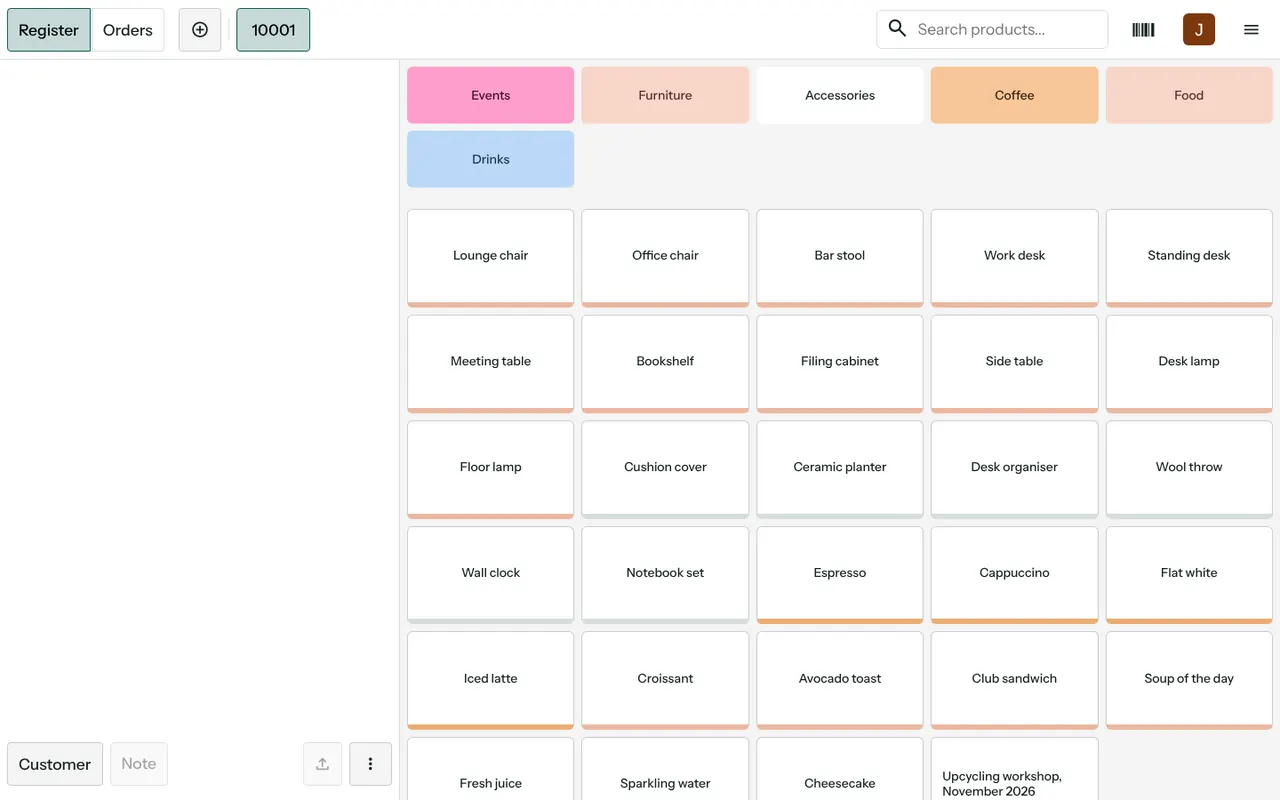
Point of Sale at the counter
The till takes the order, takes payment and prints or shows the bill. Sales are recorded as they happen, so the day's takings are known without a handwritten tally. See the Point of Sale module.
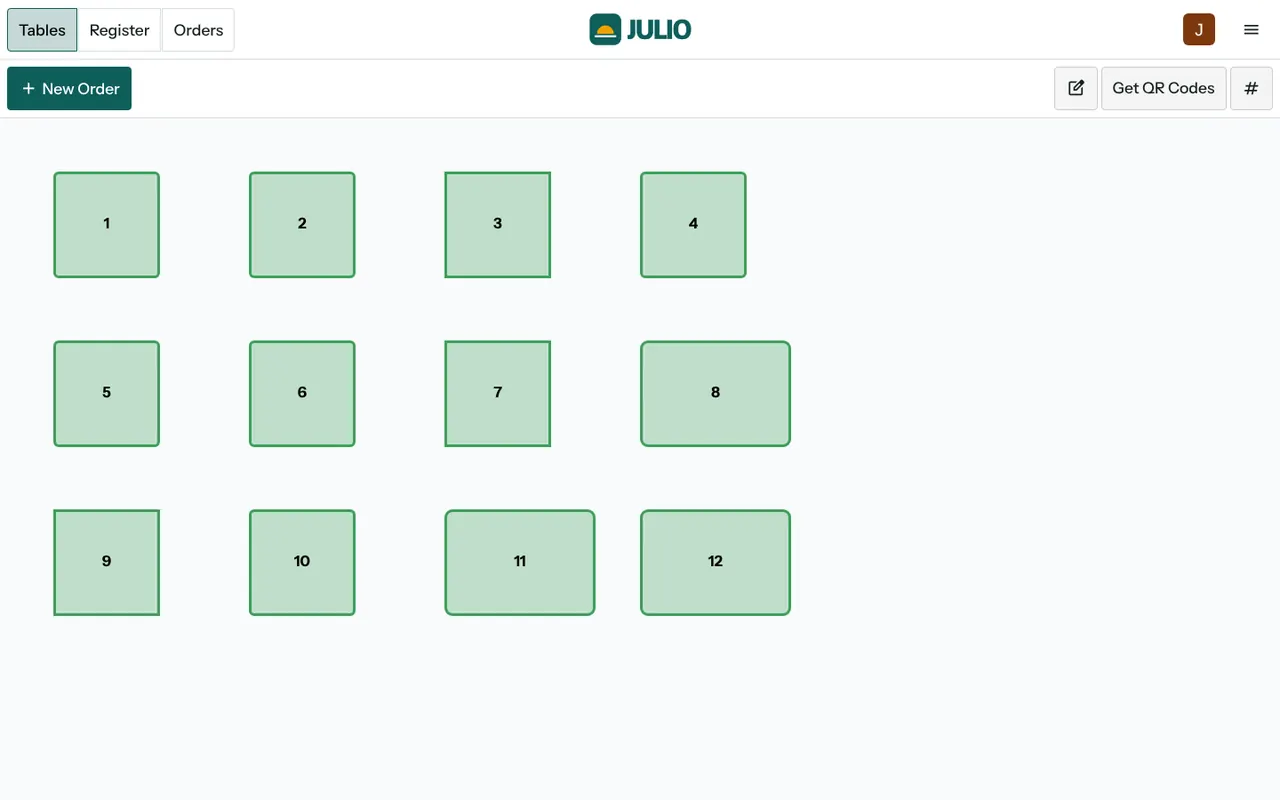
Restaurant for tables and floors
The Restaurant module adds a floor plan with tables, so an order can be opened against a table, added to during the meal and paid at the end. Split bills and moving a party between tables are handled on the same screen. See the Restaurant module.
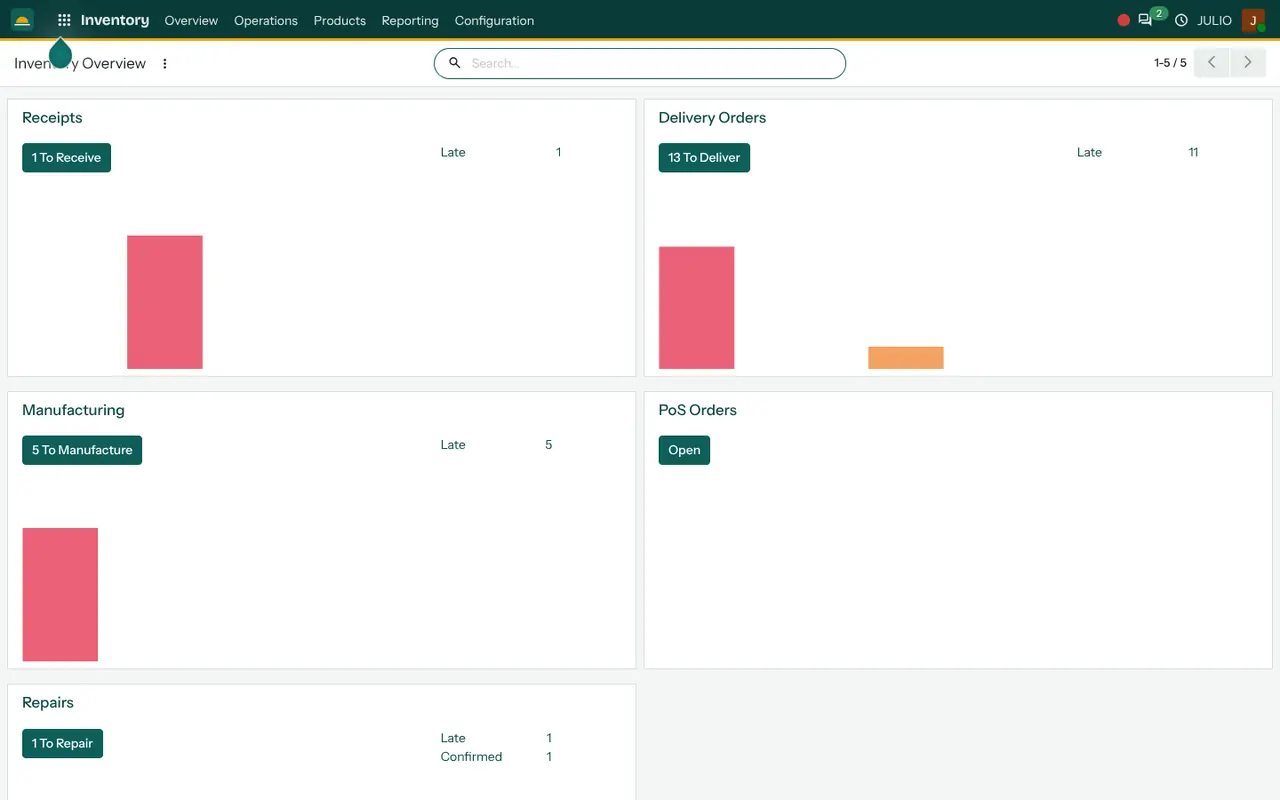
Inventory for ingredients and supplies
Stock is kept by item and location, so the counter fridge and the back store can be counted separately. See the Inventory module.
Purchase for supplier orders
A supplier order is created, received against the delivery and matched to the supplier's bill. See the Purchase module.
Employees for the team
Staff records sit in one place, so rotas and hours are not kept in a notebook. See the Employees module.
What it looks like
These are real screens from the JULIO ERP demo, which uses demo data and is not a café.
What ERP for cafes from JULIO does not do
It is better to know the limits before you start. JULIO is a business system, not a kitchen display or a delivery-app integration. Connections to food-delivery platforms and kitchen printers are custom work, quoted separately, and we say plainly what is possible before you decide.
A day with ERP for cafes
Picture a small café on an ordinary Saturday. Before opening, the owner checks the stock list in the ERP for cafes and sees that milk and bread are low, so a supplier order is raised in two minutes. At the counter, staff ring up coffees on the till, and each sale reduces the stock list as it happens. Mid-morning the floor fills, and orders are opened against table numbers on the floor plan and added to as people order more. At closing, the owner reads the day's takings from one screen instead of adding up paper slips. Nothing in this day needs a special setup, and a café owner can learn it in an afternoon: it is the ordinary use of ERP for cafes with a till, tables and a stock list.
How a first release of ERP for cafes could look
A sensible first release of ERP for cafes, for a single café, is the till and the stock list. Staff learn the till in a day, and the stock list is built from your real menu and suppliers. Once the team trusts the numbers, tables and supplier ordering are added, then staff records. This keeps the change small enough to finish and lets you stop at any point and still have a working system.
Conclusion
ERP for cafes should feel lighter than the work it replaces. At DigiGrowvity, we set up JULIO ERP for growing businesses, and in our experience a café does best when the first release is just the till and the stock list. Tables, supplier ordering and staff records follow once the team trusts the numbers.
Key Takeaways
- A café needs a fast till, a table floor plan, small-piece stock tracking and supplier ordering.
- The usual starting set is Point of Sale, Restaurant, Inventory, Purchase and Employees.
- JULIO runs on your own network, so the till does not depend on the internet.
- Kitchen displays and delivery-app links are custom work, quoted separately.
- The plan is ₹10,000 once, with unlimited users and 1 year of free support.