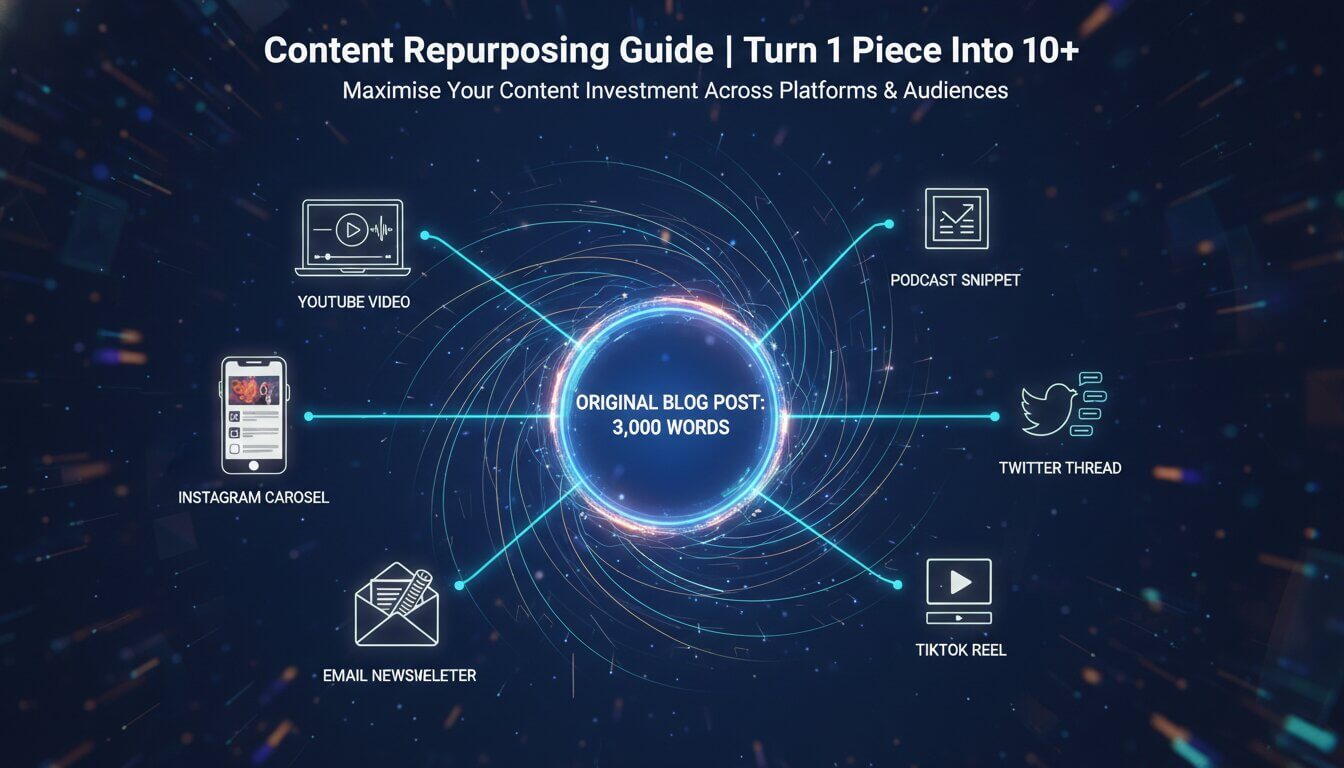
Content Repurposing Guide | Turn 1 Piece Into 10+

Leo Daniel Raja

content repurposing

Why Repurposing is the Smartest Content Strategy?

Most businesses create content, publish it once, and move on. This is an enormous waste of time and resources. A single well-researched blog post contains enough material for dozens of content pieces across multiple platforms and formats. Content repurposing maximises your content investment by reaching different audiences, on different platforms, in different formats — without creating everything from scratch.

Repurposing is not about lazily copying content across platforms. It is about adapting your core ideas and insights into native formats optimised for each platform and audience. A 3,000-word blog post contains different value when broken into an Instagram carousel, a YouTube video, an email newsletter, and a Twitter thread — each version serves a different audience segment in the format they prefer.

The Repurposing Framework: One Blog Post → 10+ Assets

Start with a comprehensive, well-researched ‘pillar’ piece of content — typically a long-form blog post, video, or podcast episode. This becomes your source material for all repurposed content:

  • Instagram Carousel: : Extract 5-10 key tips or statistics from the blog post. Design each as a swipeable slide with a compelling first slide that hooks viewers. 
  • Short-Form Video (Reel/Short): : Pick the single most compelling insight and create a 30-60 second video explaining it. Use a strong hook in the first 2 seconds.
  • LinkedIn Post: : Turn the main argument into a text-based LinkedIn post with a personal angle or professional insight. Use line breaks and hooks optimised for the LinkedIn feed.
  • Twitter/X Thread: : Break the blog post into a numbered thread of 8-15 tweets, each containing one key point. Make the first tweet a compelling hook.
  • Email Newsletter: : Summarise the key insights with a personal introduction. Include a link to the full article for readers who want to dive deeper.
  • Infographic: : Visualise the data, statistics, and process steps from the blog post. Infographics are highly shareable and earn backlinks.
  • YouTube Video: : Record yourself presenting the blog post content on camera. Add visuals, examples, and demonstrations that enhance the written content.
  • Podcast Episode: : Discuss the topic in conversational format, adding anecdotes, opinions, and deeper analysis than the written version.
  • Quote Graphics: : Pull 3-5 key statements from the blog post and design them as shareable quote images for Instagram Stories and Pinterest.
  • SlideShare/Presentation: : Convert the blog post outline into a slide deck that can be shared on LinkedIn SlideShare or embedded in presentations.

The 3-Step Repurposing Process

Step 1: Identify Your Best-Performing Content

Not all content deserves repurposing. Focus on your highest-performing pieces — blog posts with the most traffic, social posts with the most engagement, videos with the most views. Also prioritise evergreen content that remains relevant over time. Use analytics to identify your top 20% of content, which likely drives 80% of your results.

1 12 DIGIGROWVITY Digital Growth without Limits Content Repurposing Guide | Turn 1 Piece Into 10+ Analytics & Reporting content repurposing

Step 2: Adapt for Each Platform's Native Format

Do not simply copy and paste. Each platform has unique best practices — Instagram favours visual content with text overlays, LinkedIn rewards thoughtful text posts with professional insights, YouTube requires structured video with strong thumbnails, and Twitter demands concise, punchy threads. Adapt your content’s format, length, tone, and visuals for each platform.

pay per click advertising ppc vibrant colors highly detailed professional photography 1776621890016 DIGIGROWVITY Digital Growth without Limits Content Repurposing Guide | Turn 1 Piece Into 10+ Analytics & Reporting content repurposing

Step 3: Schedule and Distribute Strategically

Stagger repurposed content across 2-4 weeks rather than publishing everything simultaneously. Different audiences will see different pieces at different times, extending the lifespan and reach of your original content. Track performance of each repurposed piece to identify which formats and platforms deliver the best engagement and traffic.

1 14 DIGIGROWVITY Digital Growth without Limits Content Repurposing Guide | Turn 1 Piece Into 10+ Analytics & Reporting content repurposing

Repurposing in Reverse: Starting With Video or Podcast

The repurposing framework works in any direction. If you create video or podcast content first, you can extract blog posts, social content, and email newsletters from them. Many content creators find it easier to speak their ideas first (video or podcast recording) and then convert the transcript into written content. This approach often produces more natural, conversational content than writing from scratch.

Faqu2019s

Commonly asked questions

By offering concise and informative responses, this section helps users find solutions without the need to contact customer support, saving time

No. Duplicate content means publishing identical text on multiple URLs, which hurts SEO. Repurposing means adapting your ideas into different formats for different platforms — a blog post becomes a video, an infographic, a social post. Each version is unique in its format and presentation.

Repurposing can reduce content creation time by 60-80%. Instead of creating 10 unique pieces from scratch, you create one comprehensive piece and adapt it into 10 formats. A team that batch-repurposes can produce a week's worth of multi-platform content in 2-3 hours.

Start with the format you are most comfortable with and that provides the most depth — usually a long-form blog post, YouTube video, or podcast episode. This becomes your 'pillar' content that you repurpose into other formats. Written content is often easiest to repurpose because it is already structured.

Build a Content Repurposing Plan

Want a content repurposing strategy that maximises your content ROI? Our content team creates pillar content and manages multi-platform distribution.

Share this post

Leave a Reply